Don't just brighten SDR.
VESAI masters it, scene by scene.
VESAI analyses your whole video, then masters real HDR10 from SDR: skin and midtones stay natural, highlights grow to your peak, bright skies and lights are controlled shot by shot, and MaxCLL / MaxFALL are measured from the result. One click for enthusiasts. Scopes, curves and full control for professionals. Plus AI upscaling up to 12K and frame interpolation.
Watch real conversions from our YouTube channel
100K+ subscribers watch HDR-X for 4K/8K HDR trailers and head-to-head comparisons — all mastered with VESAI. Watch on an HDR screen for the full effect.
 ▶
▶
 ▶
▶
 ▶
▶
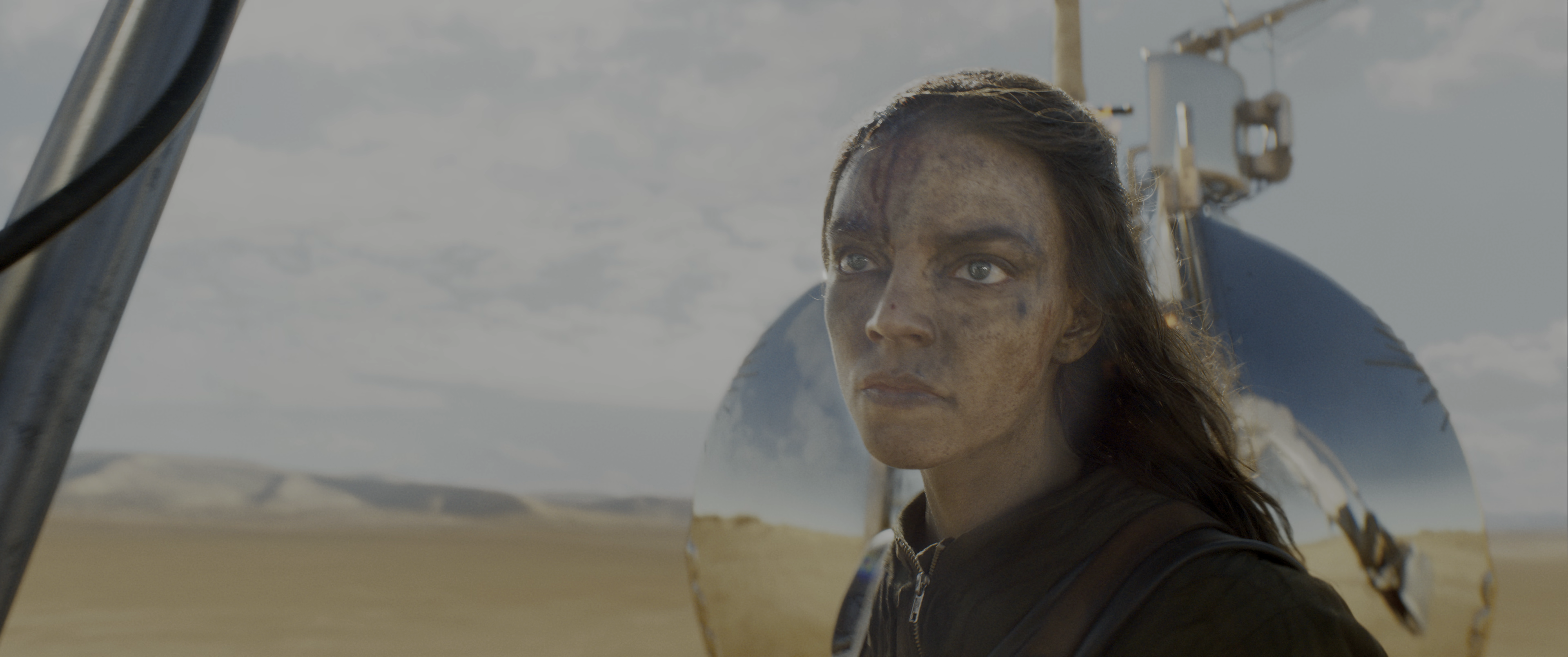
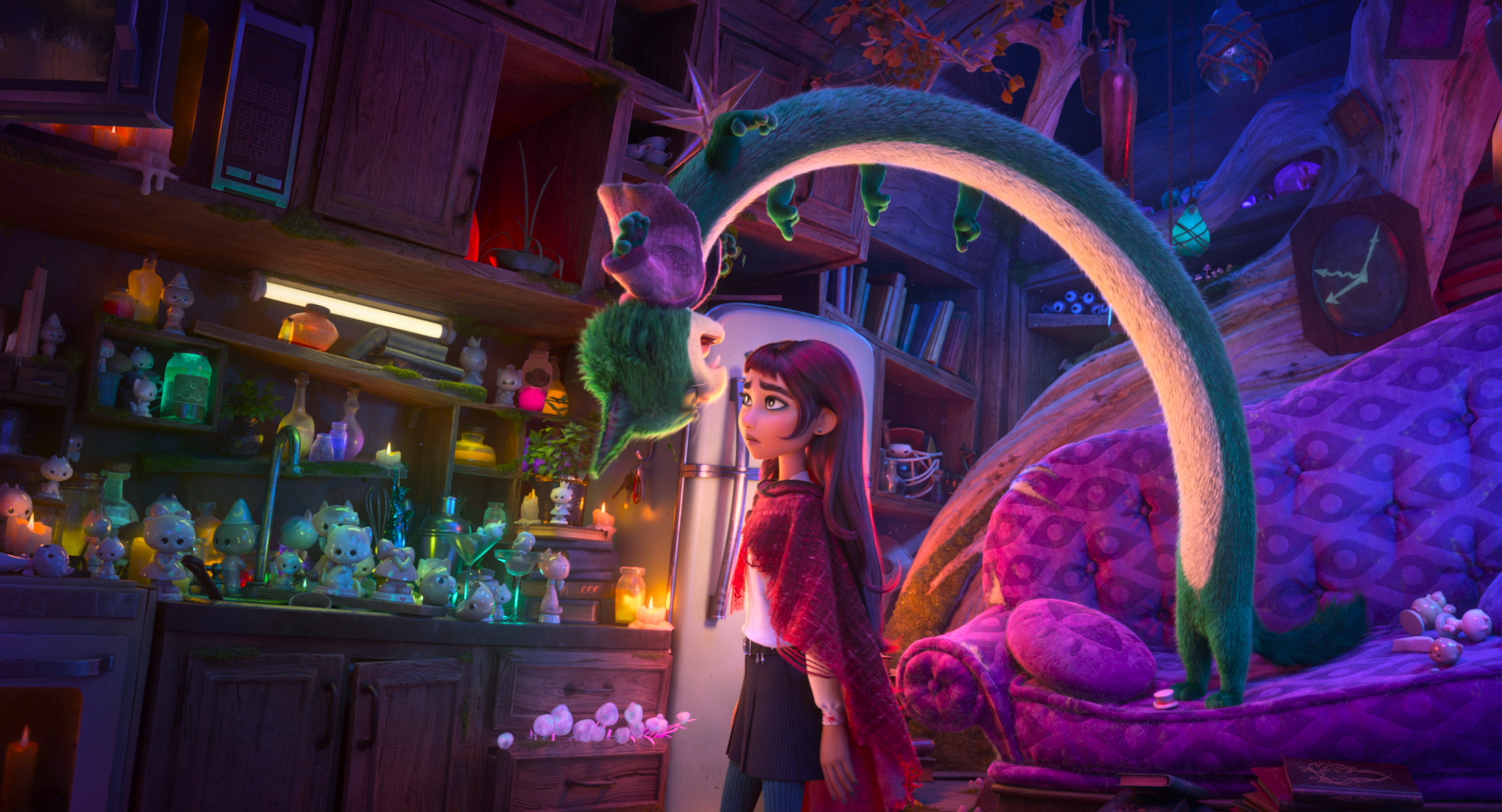
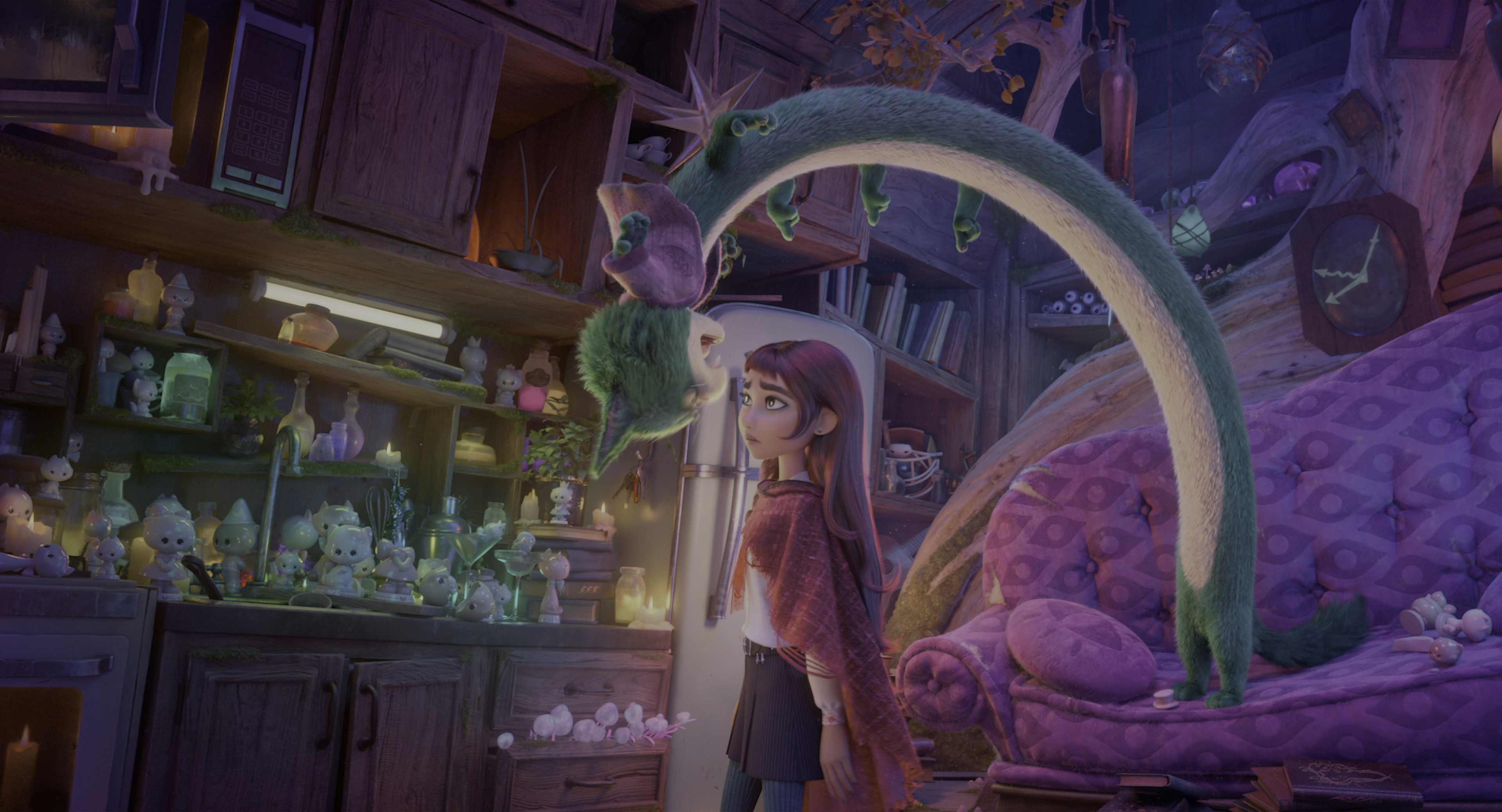
Drag the slider. That's real HDR.
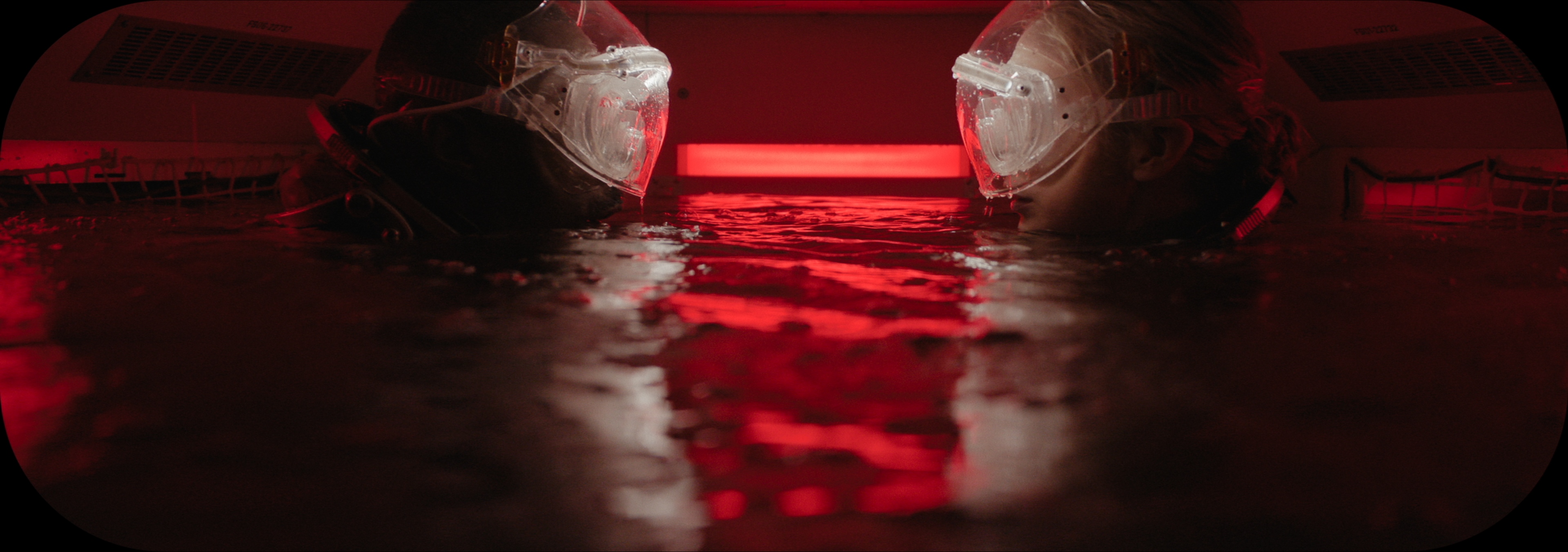
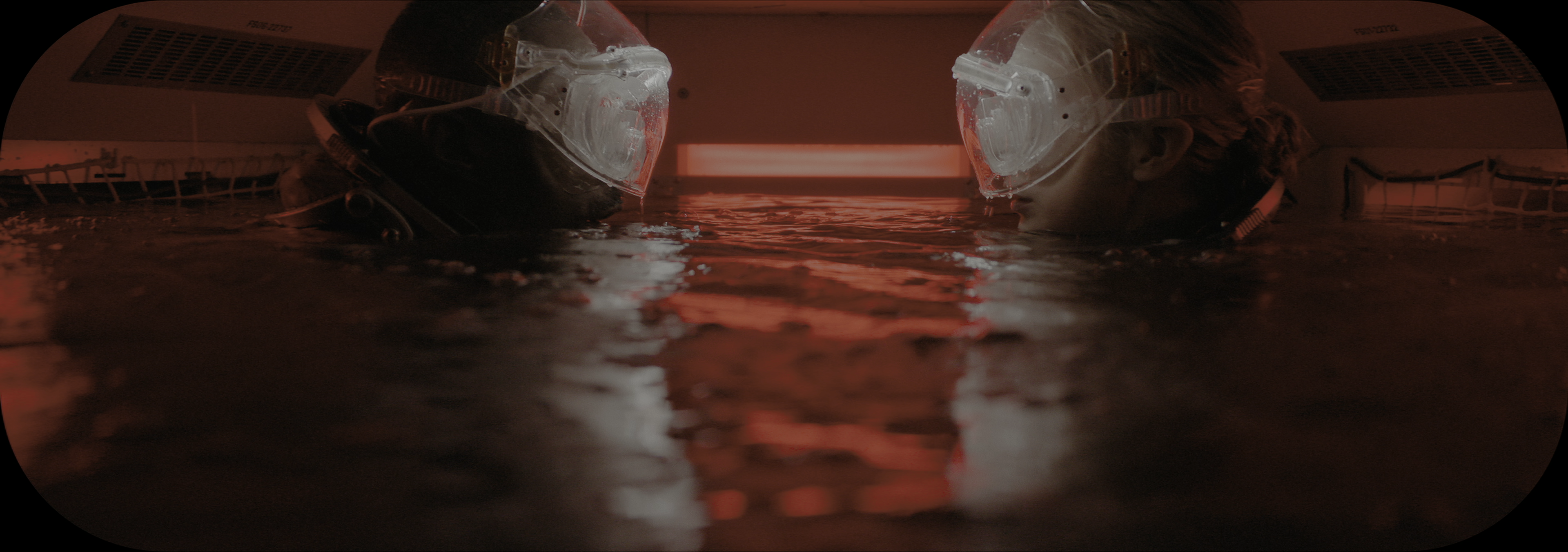
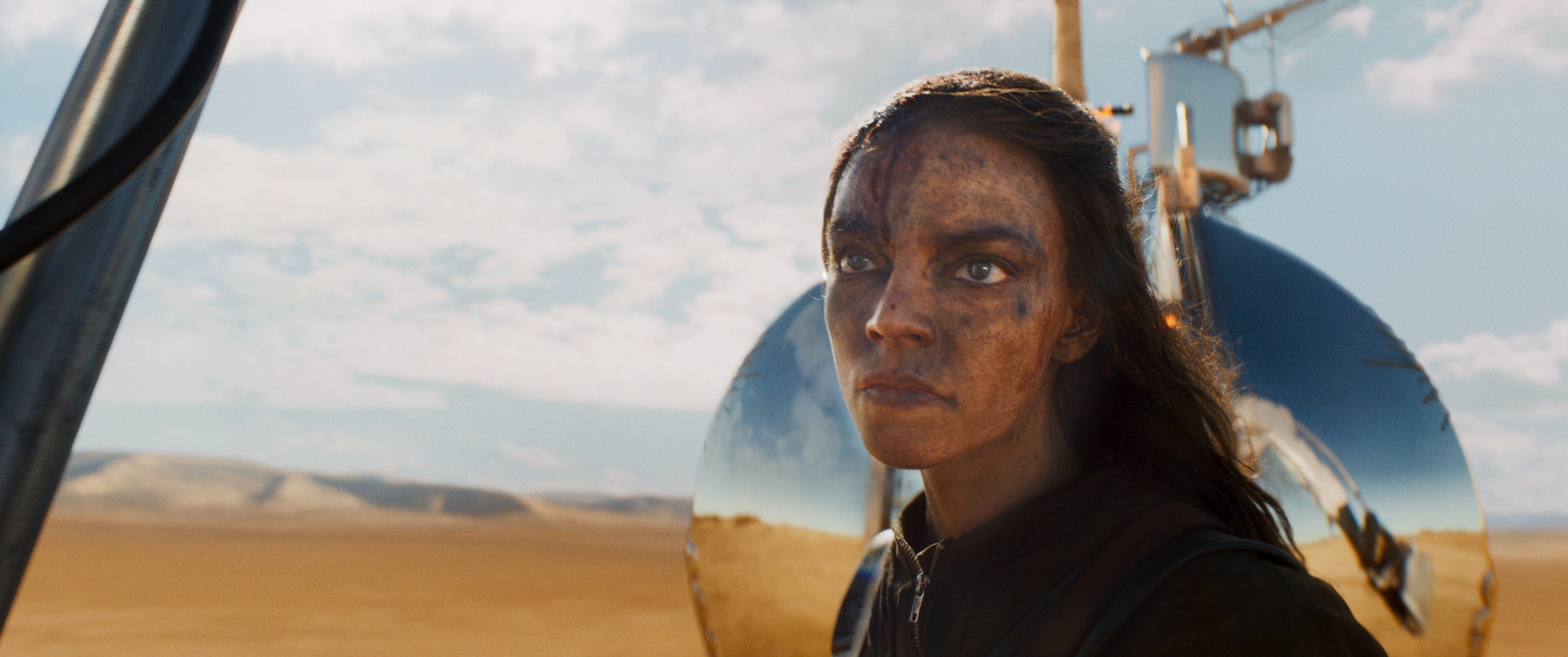
Same frame, same display. The VESAI HDR10 master keeps skin and midtones true to the source and adds real highlight range: speculars, lamps and city lights rise toward the peak while large bright areas stay comfortable.
All masters below use the default VESAI Studio SAFE Film 1000 nits preset, a tone curve matched to UHD Blu-ray grades. One slider sets your own peak: SAFE presets for 1500, 2000 and 4000 nits are included, and HDR Nits goes up to the full 10,000-nit PQ range. Shadows, midtones and skin keep the same look while highlights, speculars and lights scale into the new range. Every setting stays fully customisable.
 SDR SOURCE
VESAI HDR10
SDR SOURCE
VESAI HDR10
 SDR SOURCE
VESAI HDR10
SDR SOURCE
VESAI HDR10
 SDR SOURCE
VESAI HDR10
SDR SOURCE
VESAI HDR10
 SDR SOURCE
VESAI HDR10
SDR SOURCE
VESAI HDR10
 SDR SOURCE
VESAI HDR10
SDR SOURCE
VESAI HDR10
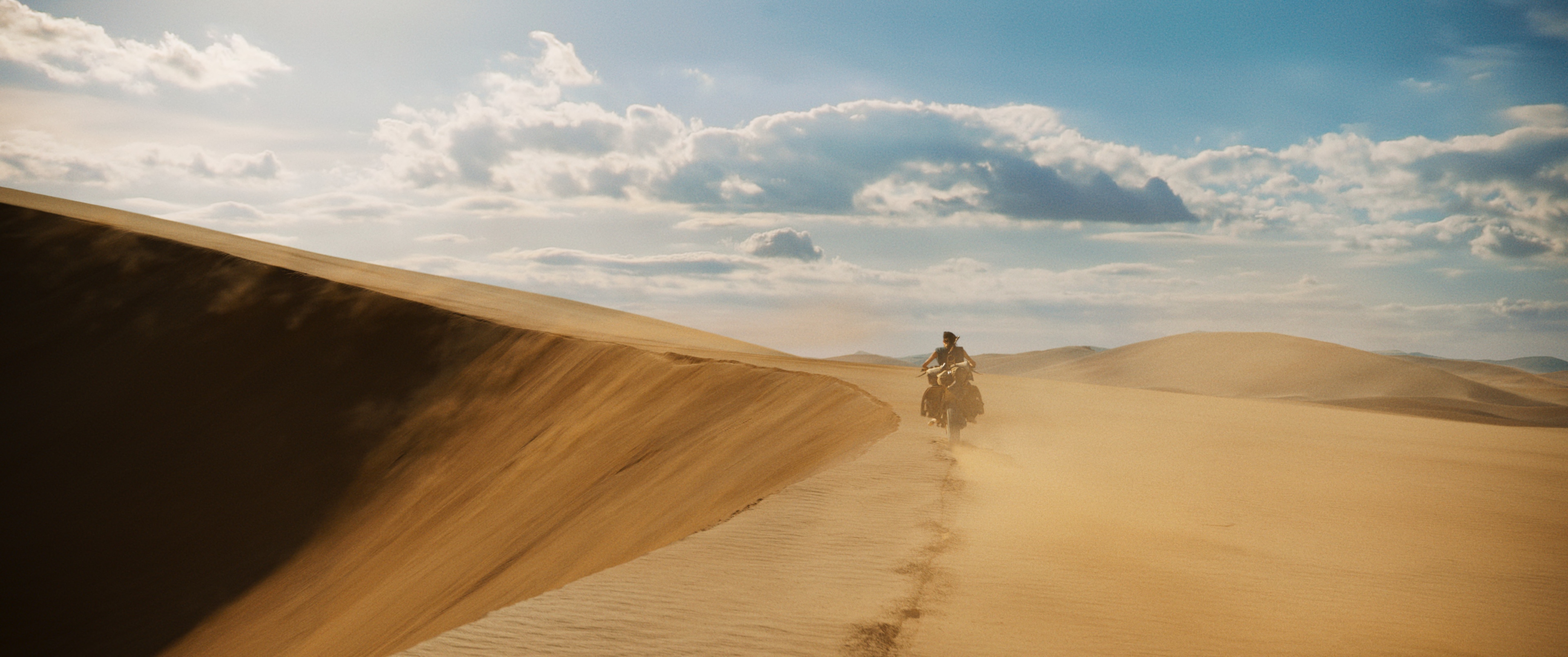
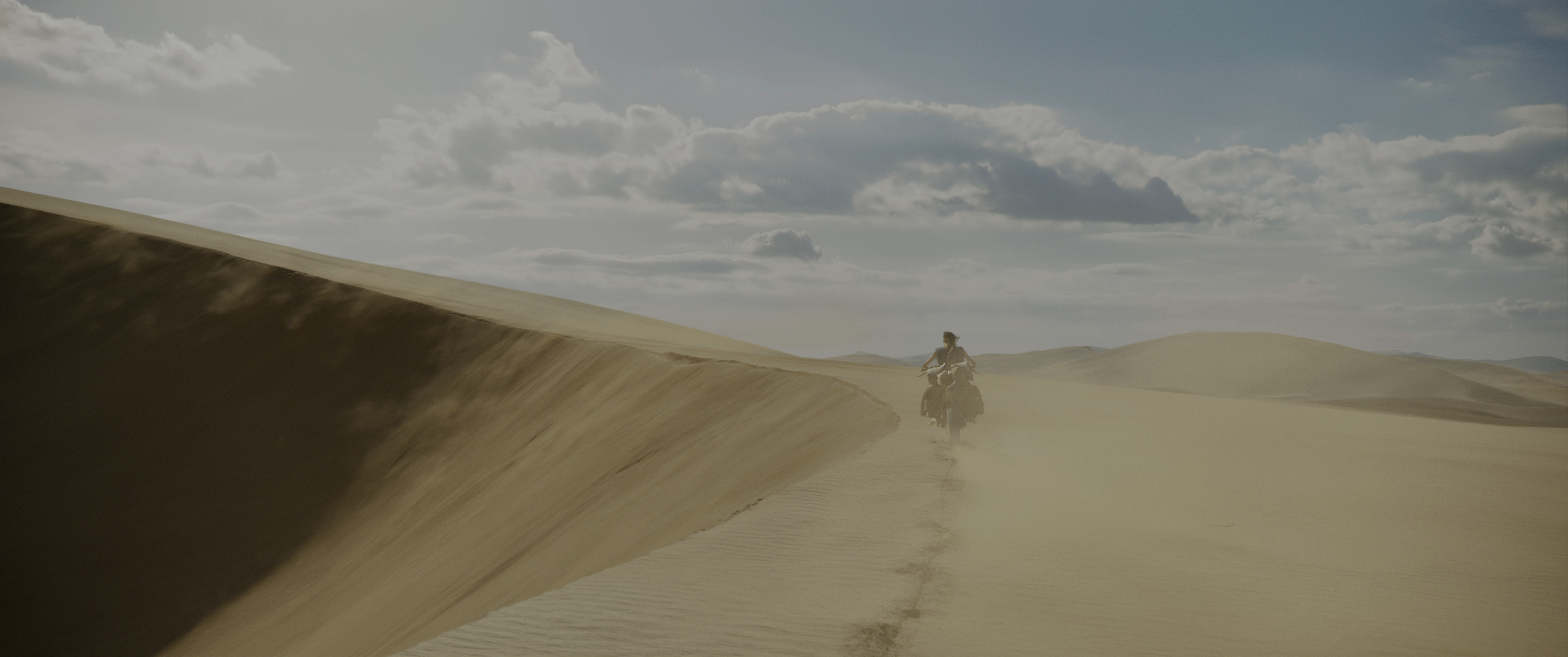
SDR original vs VESAI HDR10
The right image is the real HDR10 master (10-bit, PQ, BT.2020), exported by VESAI as AVIF. On an HDR screen - Windows HDR on in Chrome or Edge, or a recent iPhone, iPad, Mac or Android phone - it shows in true HDR, with highlights far brighter than this page's white.
 SDR ORIGINAL
 VESAI HDR10 · REAL HDR
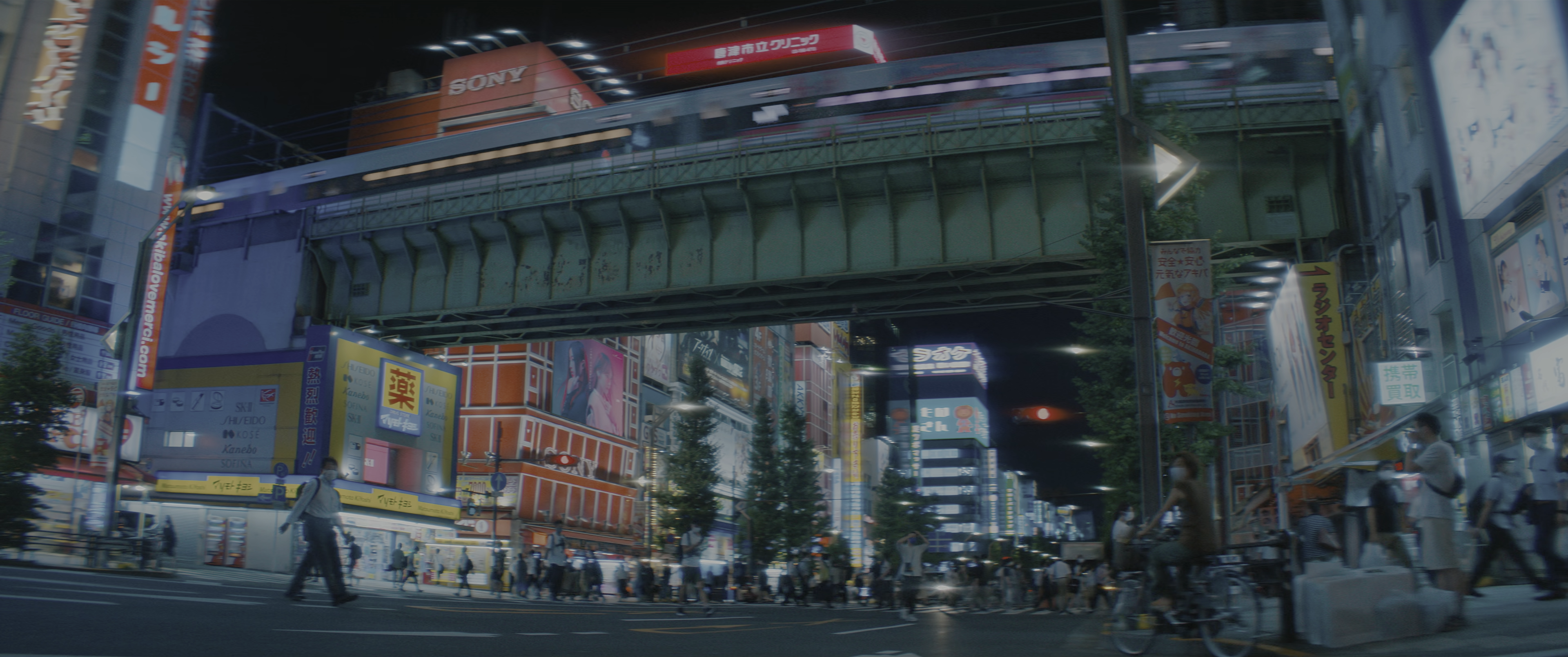
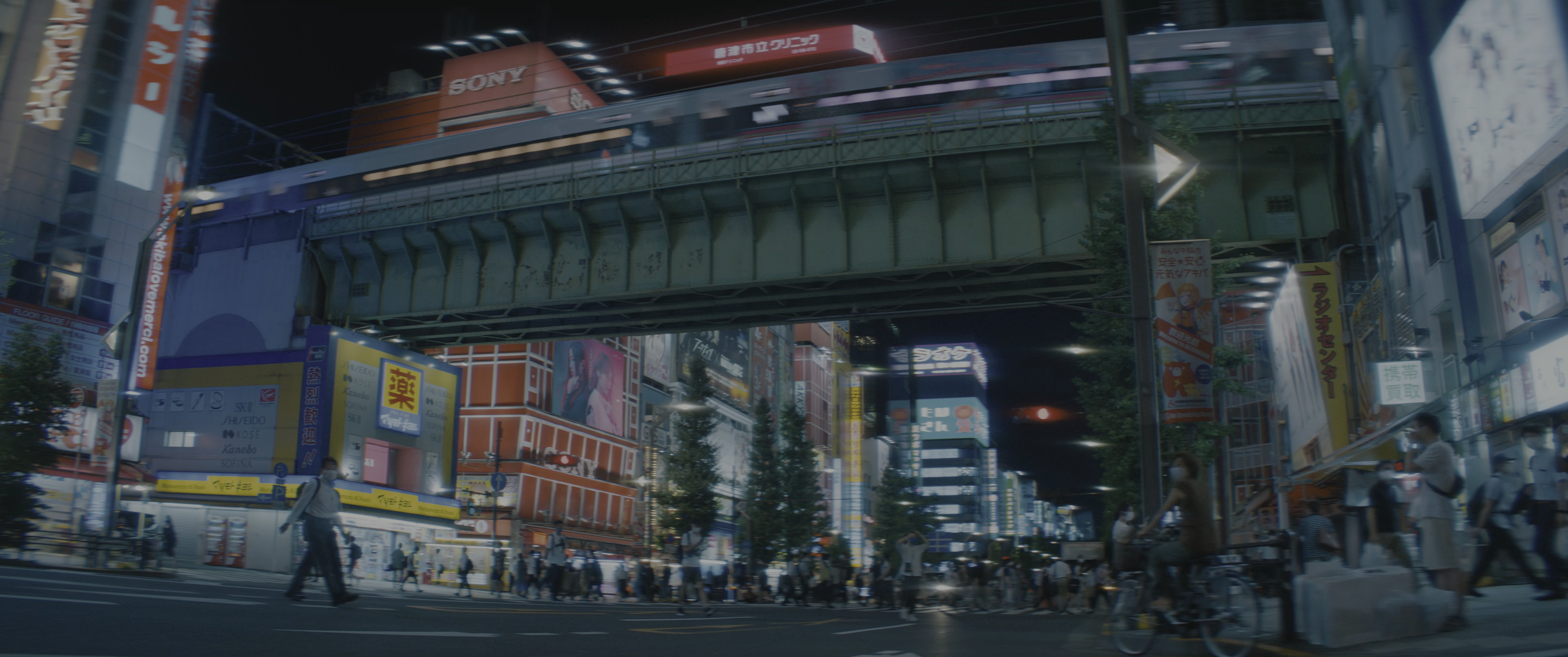
SDR source vs the official 4K UHD vs VESAI, in real HDR
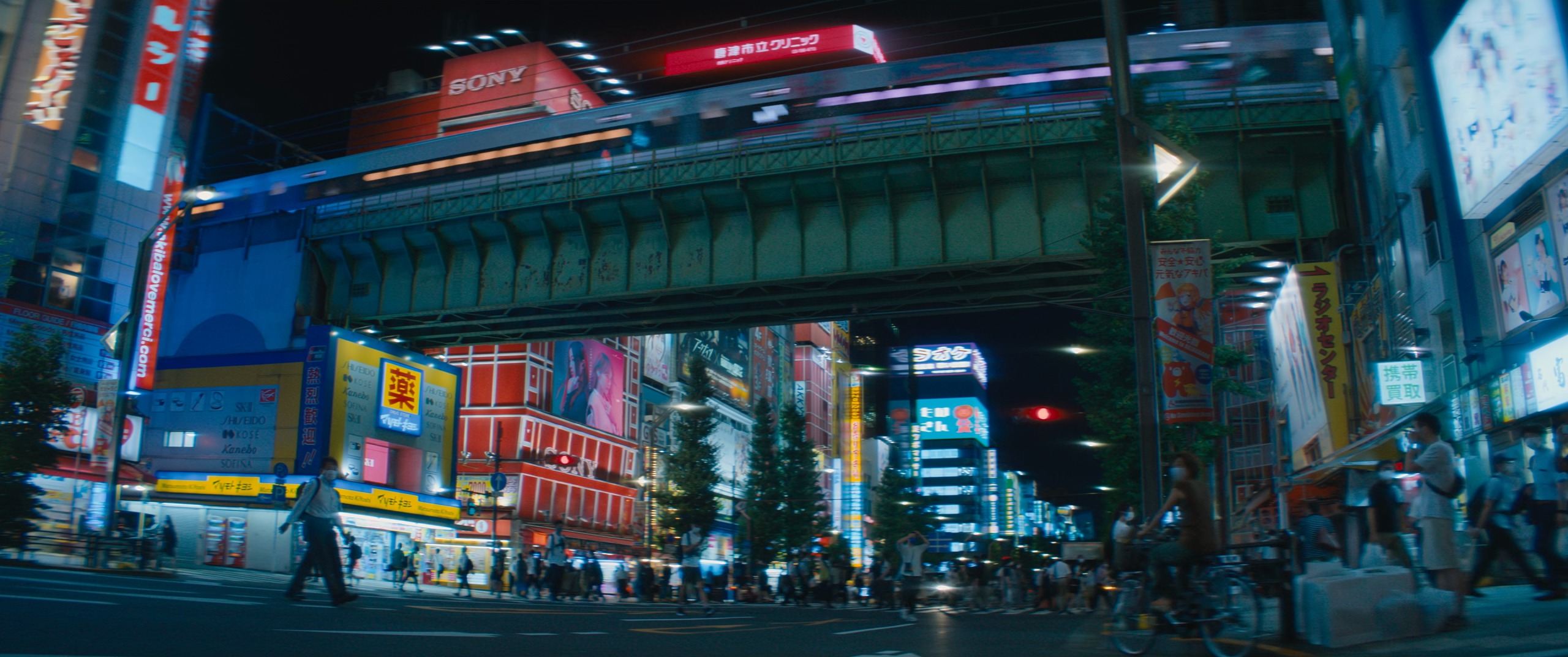
One frame of Akihabara at night, three ways: the SDR release, the studio's official 4K UHD HDR release, and VESAI 2.4.1 mastering HDR10 from the SDR alone. The UHD and VESAI images are real HDR10 AVIF stills, so on an HDR screen you see them at their true brightness and colour.
SDR SOURCE
 OFFICIAL 4K UHD HDR · REAL HDR
VESAI 2.4.1 FROM THE SDR · REAL HDR
OFFICIAL 4K UHD HDR · REAL HDR
VESAI 2.4.1 FROM THE SDR · REAL HDR
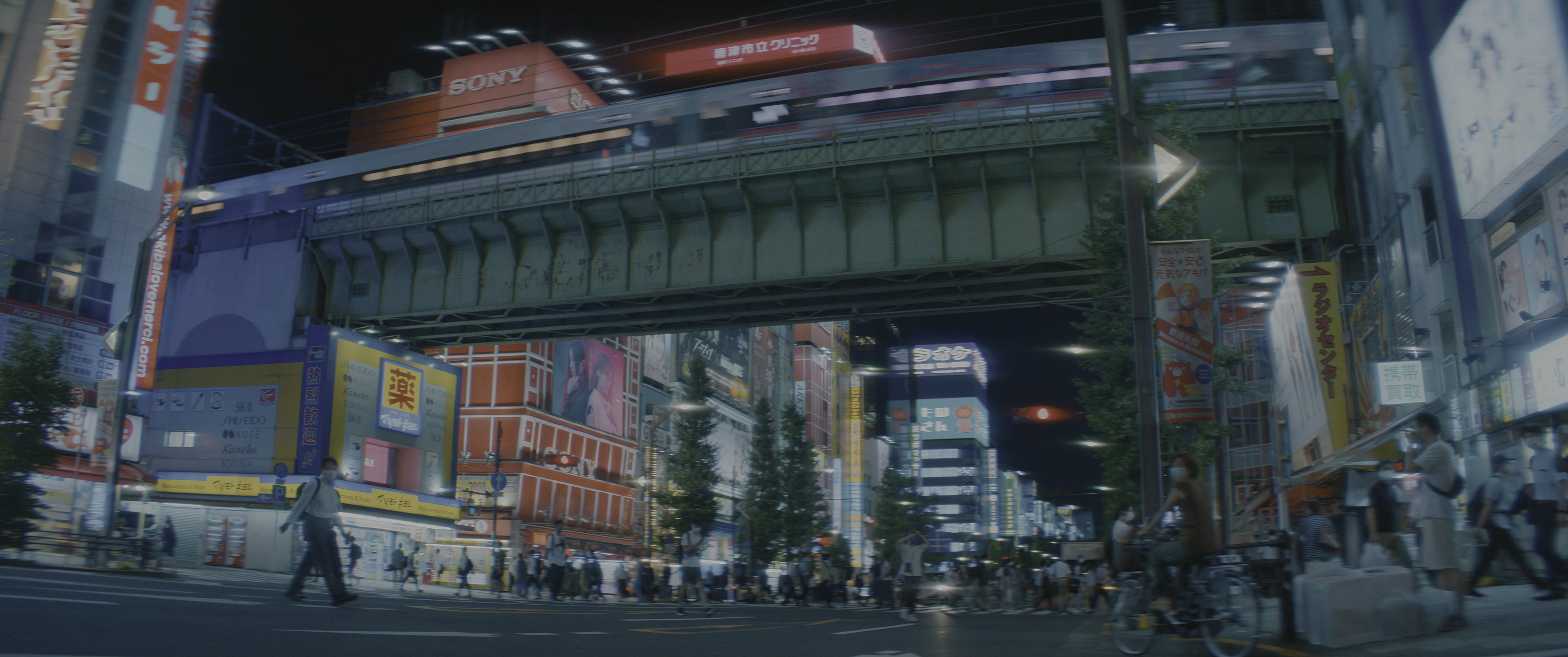 1 · SDR SOURCE
OFFICIAL 4K UHD HDRVESAI HDR FROM THE SDR
1 · SDR SOURCE
OFFICIAL 4K UHD HDRVESAI HDR FROM THE SDR
| Measured, same frame | SDR | Official UHD | VESAI 2.4.1 |
|---|---|---|---|
| Frame peak | 100 nits | 614 nits | 904 nits |
| Brightest 0.1 % of the picture | 100 nits | 365 nits | 575 nits |
| Average light (FALL) | 12 nits | 23 nits | 34 nits |
| Colour outside Rec.709 | 0 % | 25.4 % | 35.2 % |
| Colour clearly past DCI-P3 (toward BT.2020) | 0 % | 0.27 % | 0.39 % |
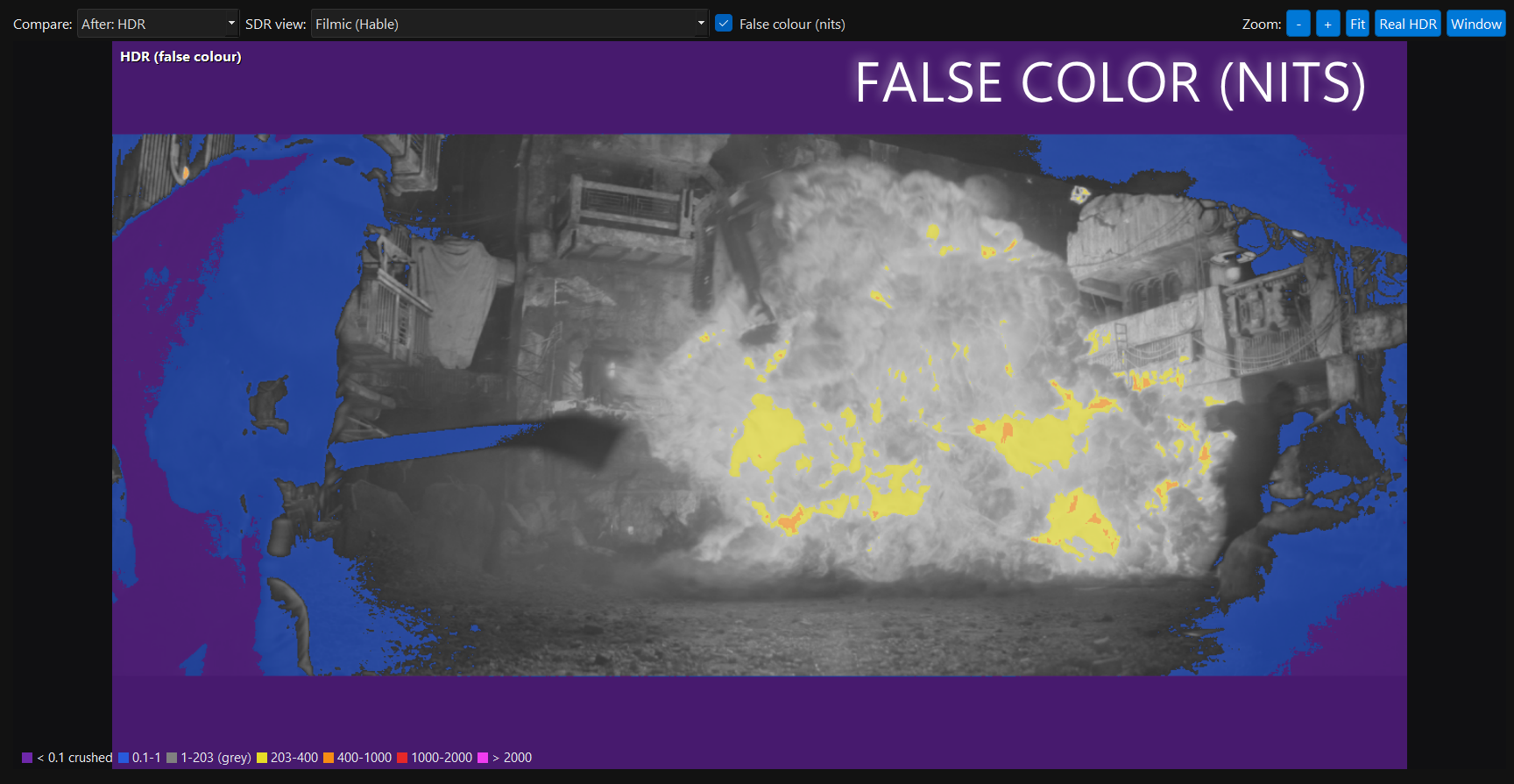
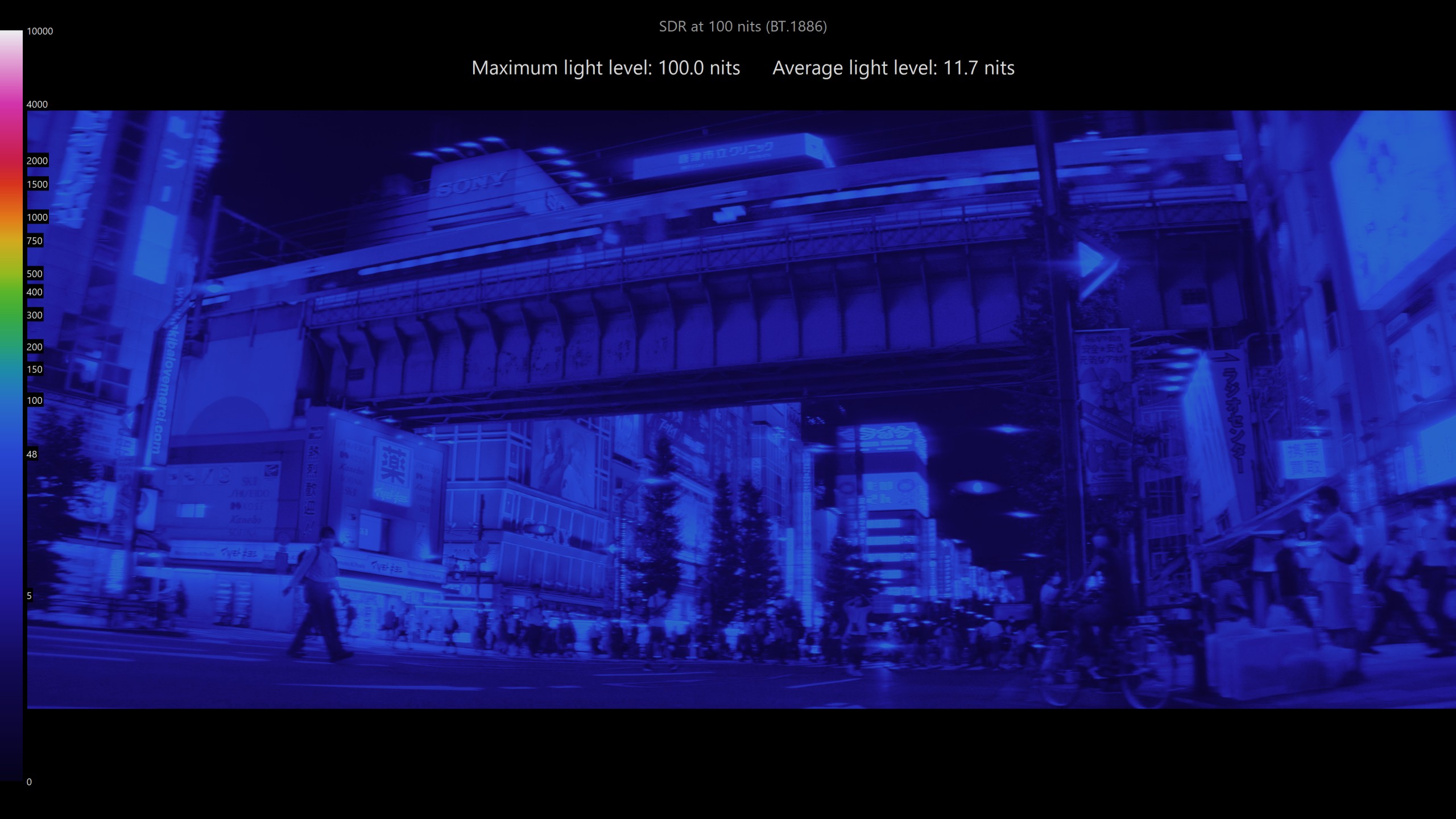 SDR · NITS HEATMAP
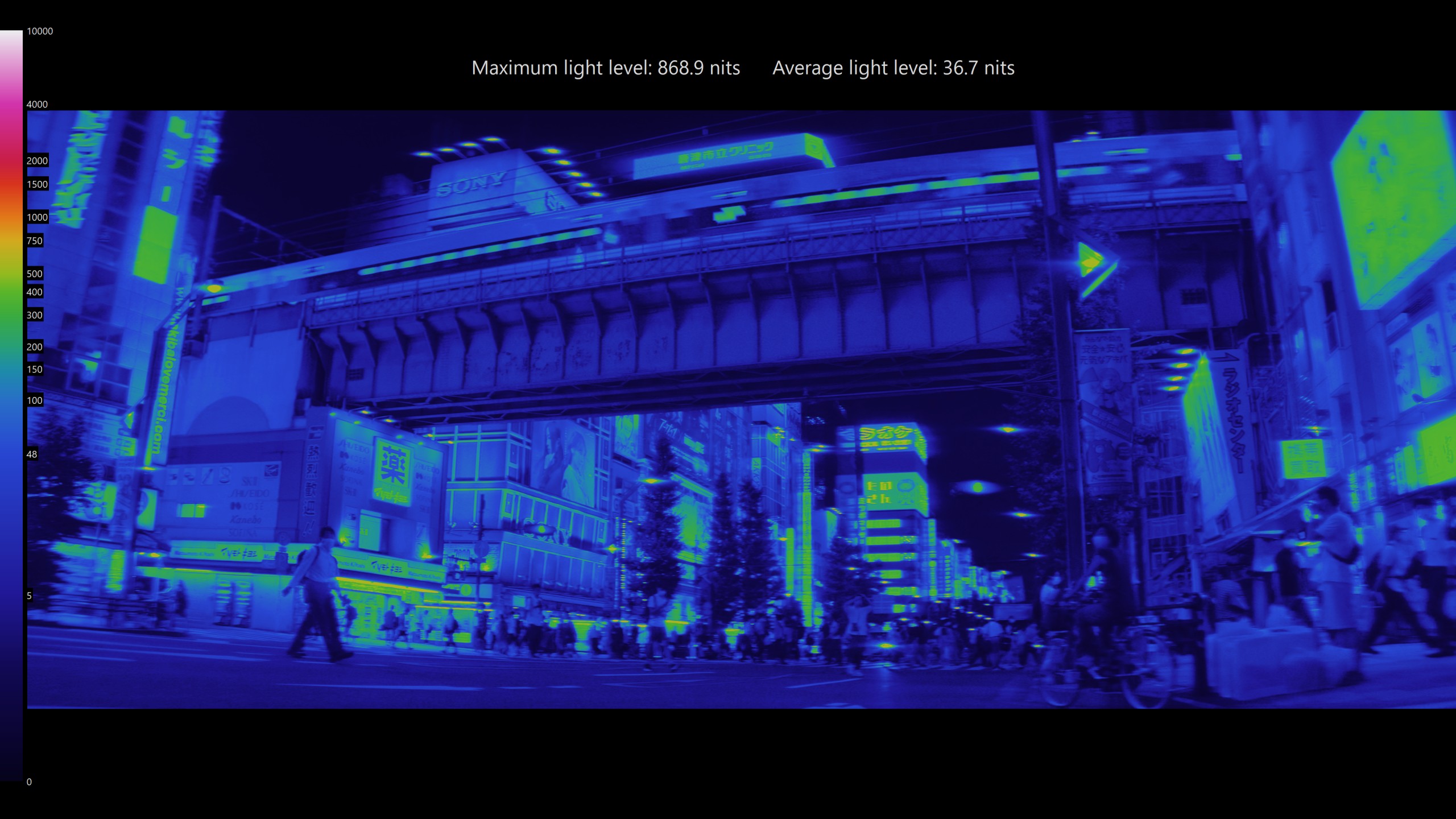 VESAI HDR10 · NITS HEATMAP
Skin-safe BT.2020 colour. Only where it belongs.
Most SDR-to-HDR tools either keep the colour inside Rec.709 or P3, or push everything wider and give you neon faces. VESAI does what a colourist does: only colours that are already very saturated and lit (neon signs, tail lights, lasers, fire, coloured lights) go past DCI-P3 toward the BT.2020 primaries, at the same brightness. Skin, skies, greys and everyday colours stay natural.
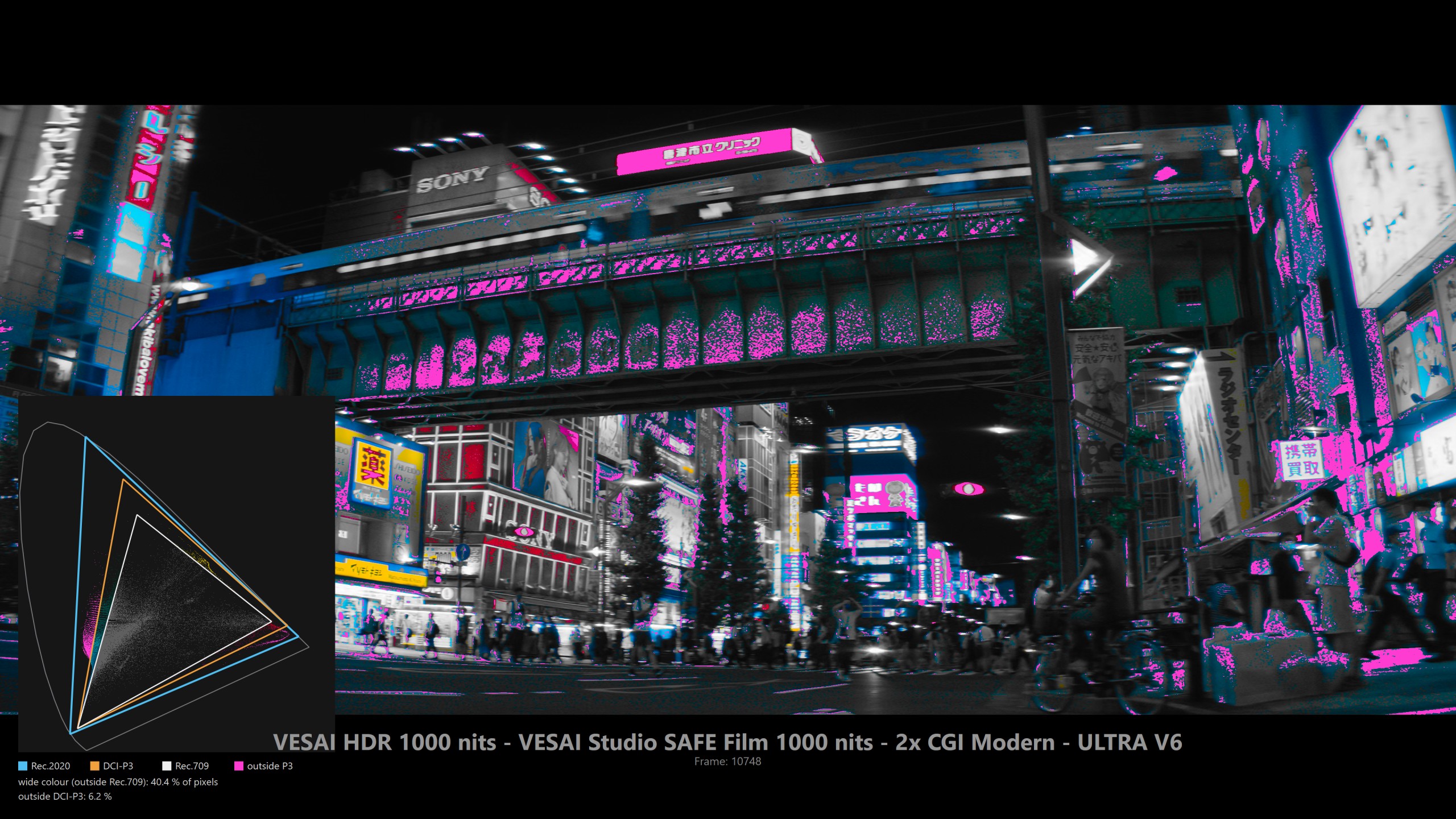 GAMUT VIEW · MAGENTA = PAST P3
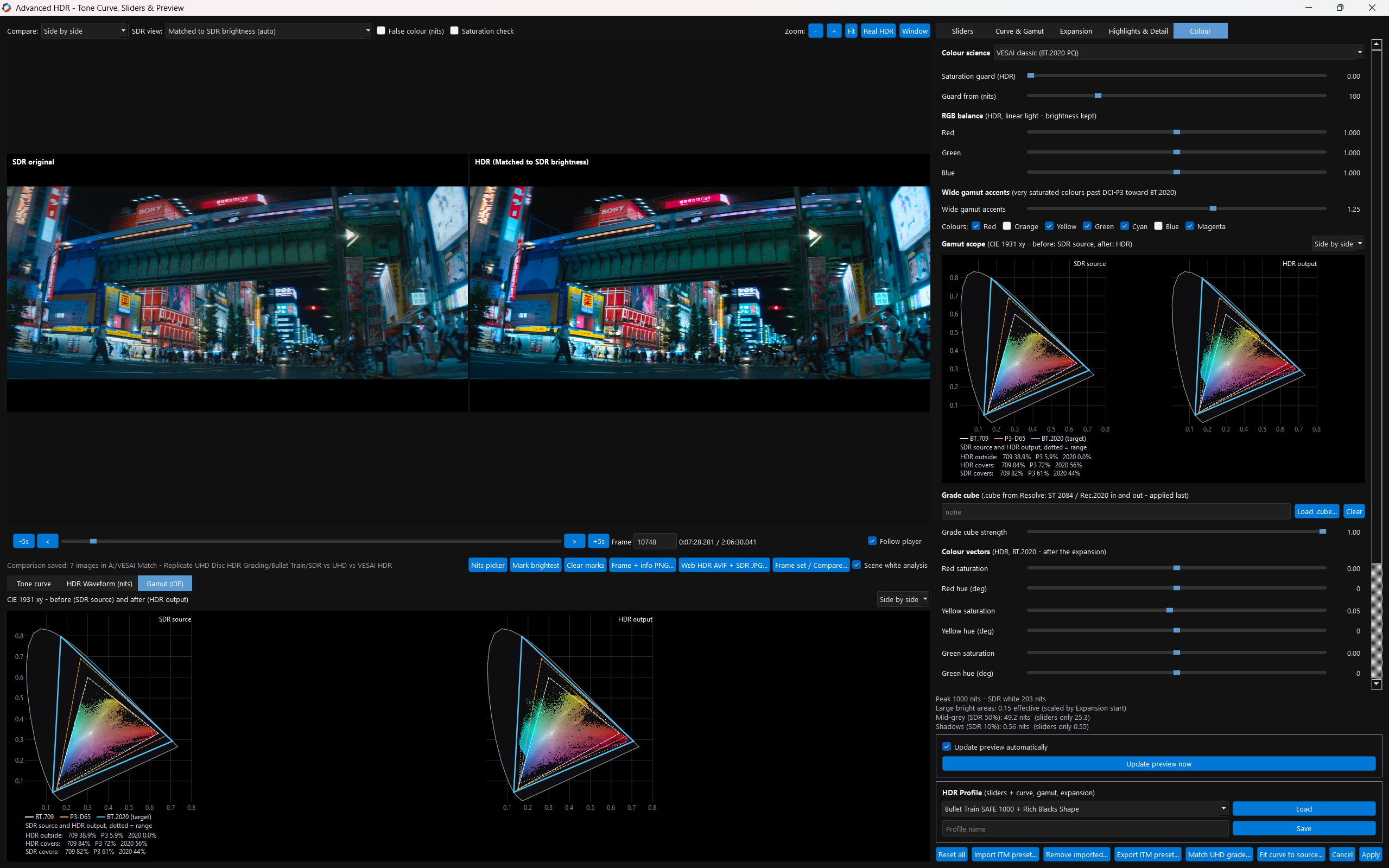 VESAI · COLOUR TAB
On this frame the official UHD itself puts 3 % of the picture past P3. VESAI, from the SDR alone, reaches 5.9 %, on the signs and lights only. Best seen on wide-gamut HDR displays (QD-OLED, high-end mini-LED); other screens map it into their own range.
Measured against the studio master. Not guessed.
Give VESAI the SDR source and the official 4K UHD HDR release of the same film. VESAI Match lines them up, measures in real nits how the studio's colourist mapped every brightness level, the shadows, the gamut and the colour, and sets VESAI's HDR engine to follow that grade, with a report you can check. As far as we know, no other software does this.
| UHD brightness range | VESAI vs official UHD |
|---|---|
| 0.05 – 0.5 nits | +0.08 stop |
| 0.5 – 5 nits | +0.10 stop |
| 5 – 20 nits | +0.09 stop |
| 20 – 60 nits | +0.03 stop |
| 60 – 150 nits | +0.04 stop |
| Above 150 nits | +0.06 stop |
| Highlights (brightest 0.05 % of pixels, typical frame) | VESAI 223 / UHD 212 nits |
| Peak brightness, frame 168995 | VESAI 612 / UHD 468 nits |
| HDR Nits (from the disc's MaxCLL of 994) | 1000 |
Within a tenth of a stop of the studio master across the whole brightness range, from deep shadow to highlights, with higher peaks.
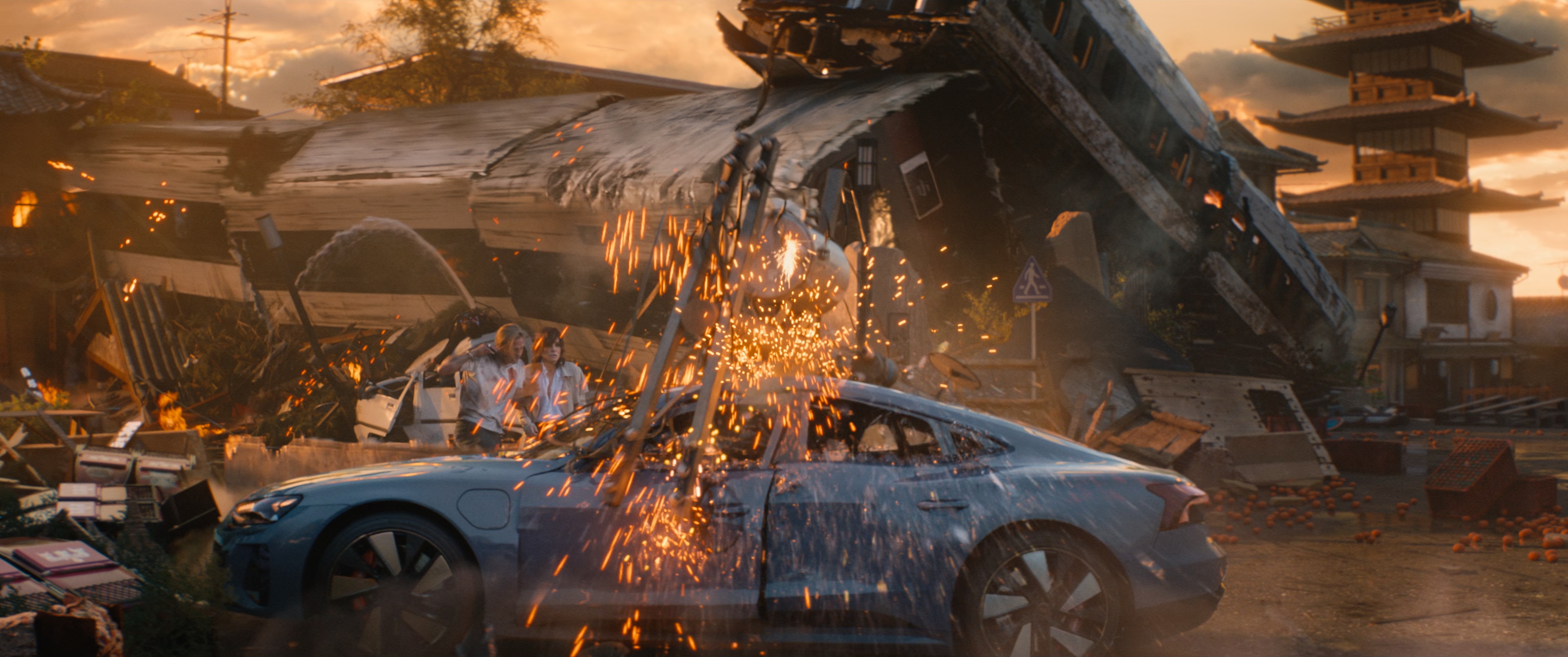
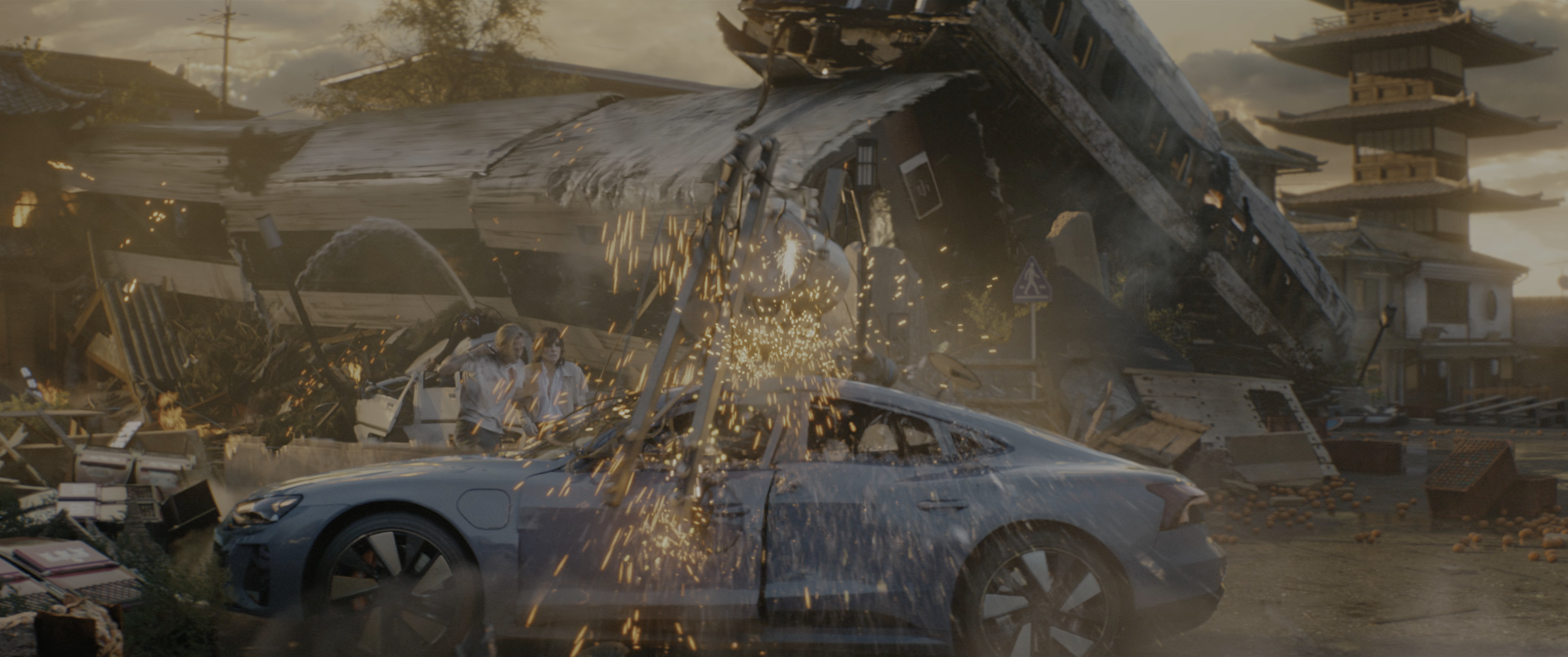
More than a copy. VESAI follows the studio's grade, then its own highlight engine works on top: on this sunset the sun gets a defined, glowing core and the wrecked train car keeps its metal texture and edge light against the haze.
A growing library. Every match is saved as a VESAI Match preset with the film, the camera and the nits, ready for films graded the same way.
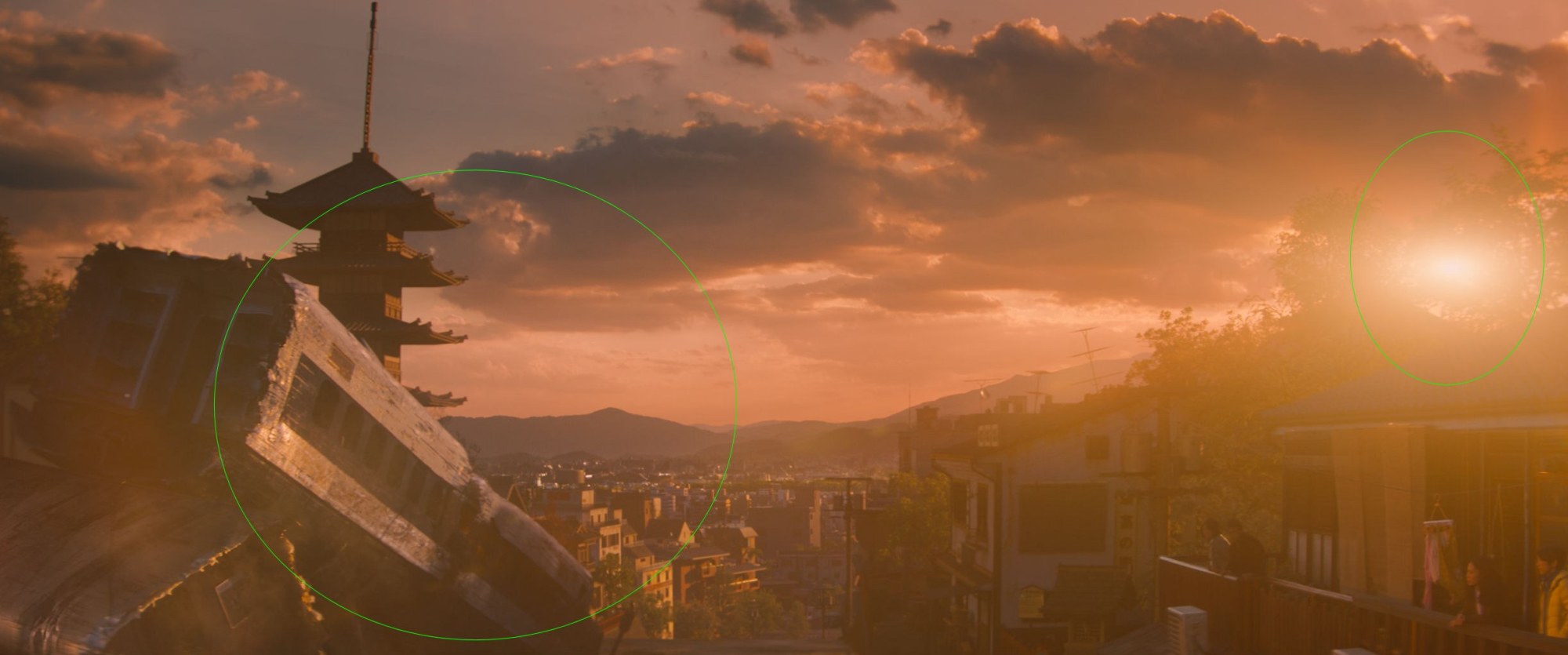 SDR SOURCE
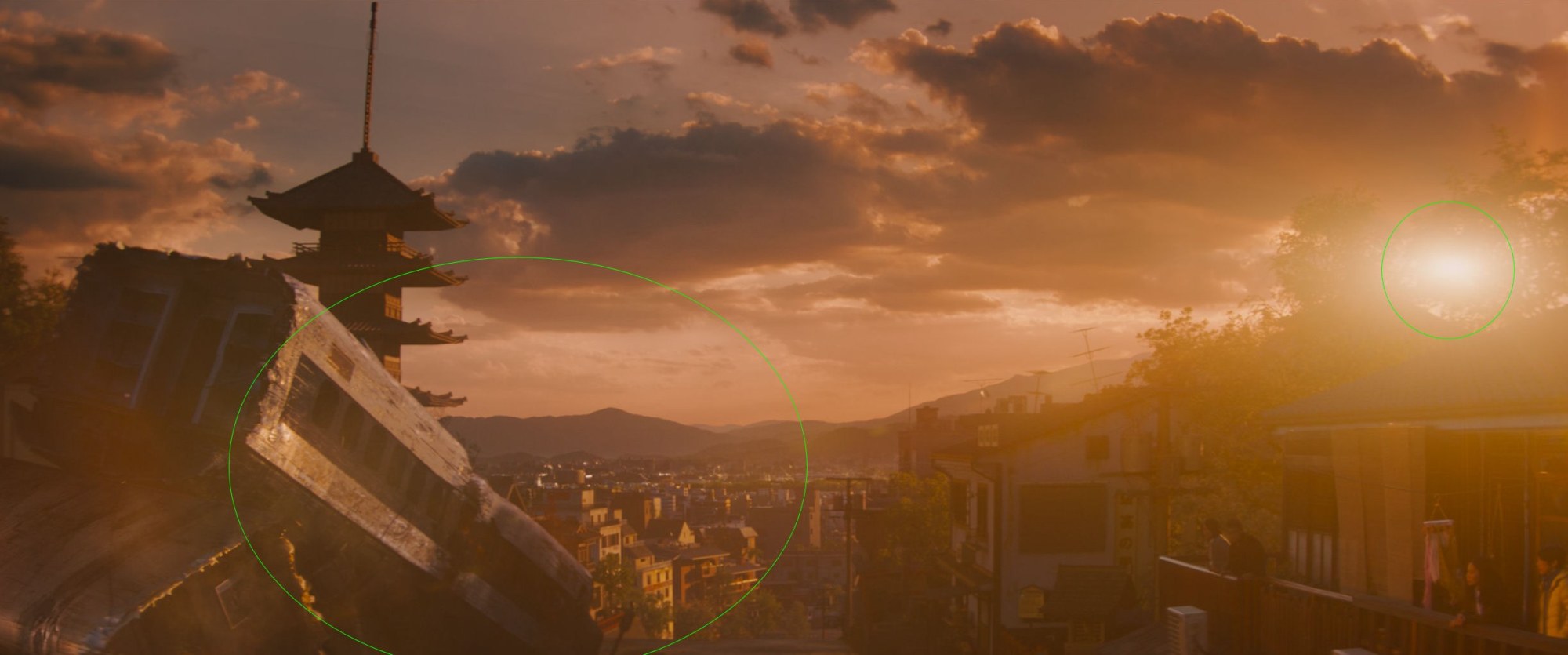 OFFICIAL 4K UHD HDR
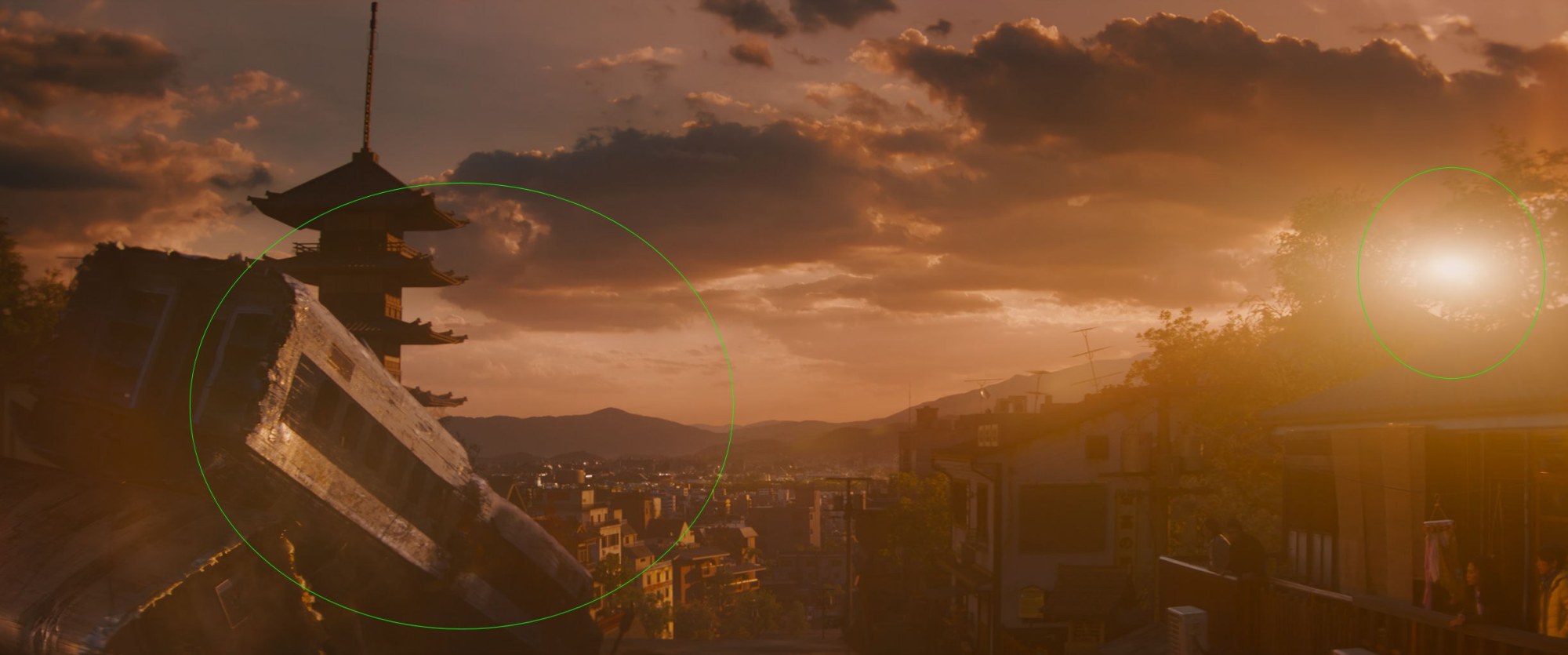 VESAI MATCH · FROM THE SDR
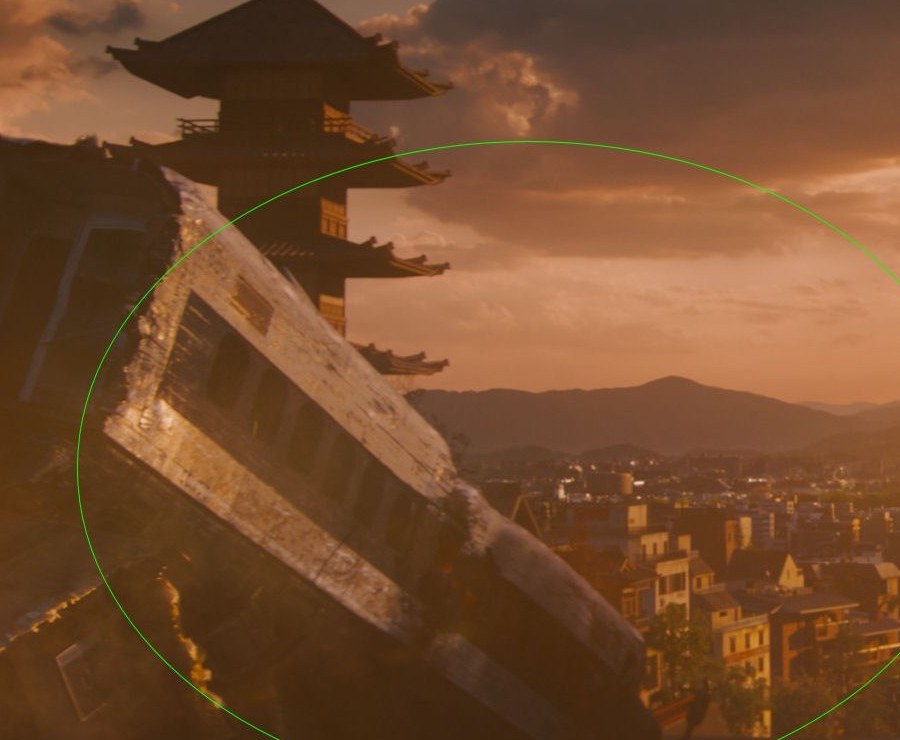 UHD · TRAIN CAR
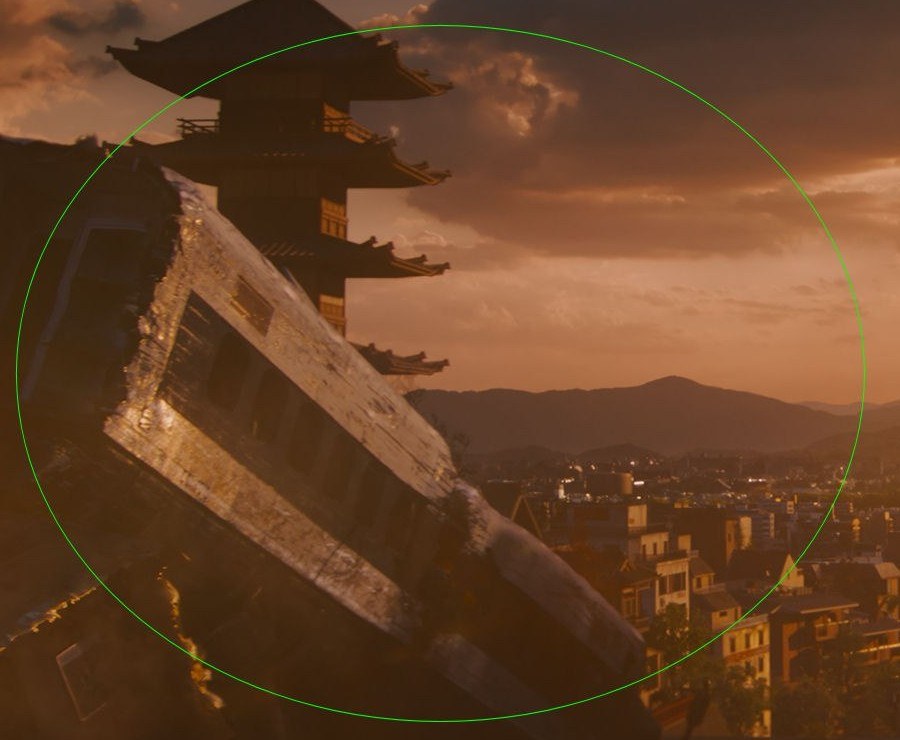 VESAI · TRAIN CAR
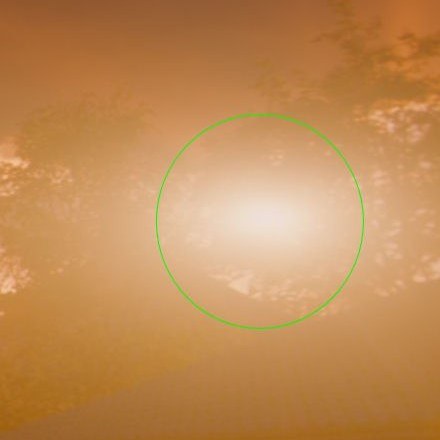 UHD · SUN
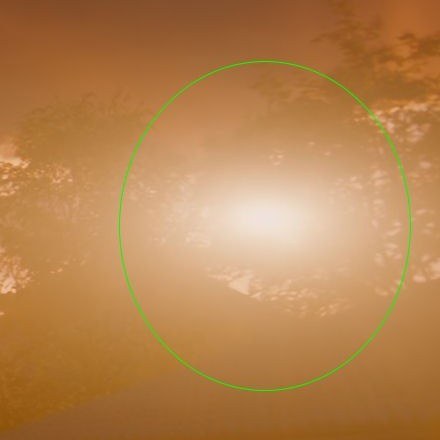 VESAI · SUN
It watches the whole video before it touches a pixel
No fixed filter applied blindly to every frame. VESAI measures your video first, then builds the HDR master from what it found.
The lamp gets its core back. Everything else stays comfortable.
In SDR the core of a lamp, the sun or a fire is clipped together with its glow. VESAI finds those light sources scene by scene and lifts the core above its glow, separates small speculars from large bright areas pixel by pixel, and holds big skies and white walls at a comfortable level. In a grading suite this takes qualifiers, masks and keyframes. VESAI does it automatically.
Master at 1000, 1500, 2000 or 4000 nits: shadows, midtones and skin keep the same look while highlights, speculars and bright areas scale into the new range. The default VESAI Studio SAFE Film presets follow a tone curve matched to UHD Blu-ray grades.
Built on HDR standards. Tuned by VESAI.
Real HDR10 mastering, not a filter: SDR decoded with BT.1886, mastered in BT.2020 with PQ (SMPTE ST 2084) output and measured MaxCLL / MaxFALL.
One click if you want it. Total control if you need it.
- VESAI Studio SAFE Film 1000 nits is selected by default: a tone curve matched to UHD Blu-ray grades, without touching a slider
- Ready presets: SAFE Film and Auto Tone at 1000, 1500, 2000 and 4000 nits, Industry Standard BT.2408 / BT.2446, MODERN and BALANCED
- Automatic light cores and safe speculars: lamps and fires shine, skies stay calm, faces stay natural
- Skin-safe wide colour: neon and coloured lights go past P3 toward BT.2020, faces never change
- Simple sliders that do what they say: peak brightness, highlights, depth, brightness, blacks, color
- Live before/after preview, in real HDR when Windows HDR is on
- Upscale your old DVDs and Blu-rays to 4K HDR and smooth them to 60 fps in the same pass
- VESAI Match presets: films matched to their official UHD grade, ready to use on films graded the same way
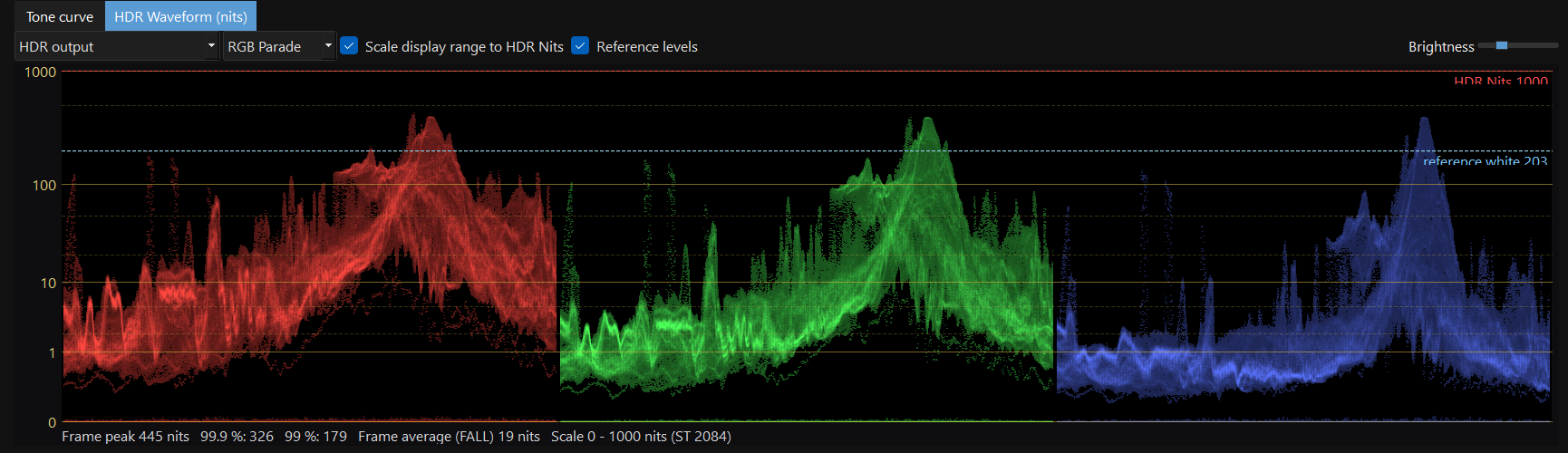
- HDR Waveform in nits on the ST 2084 scale, RGB parade, frame peak / 99.9 % / average
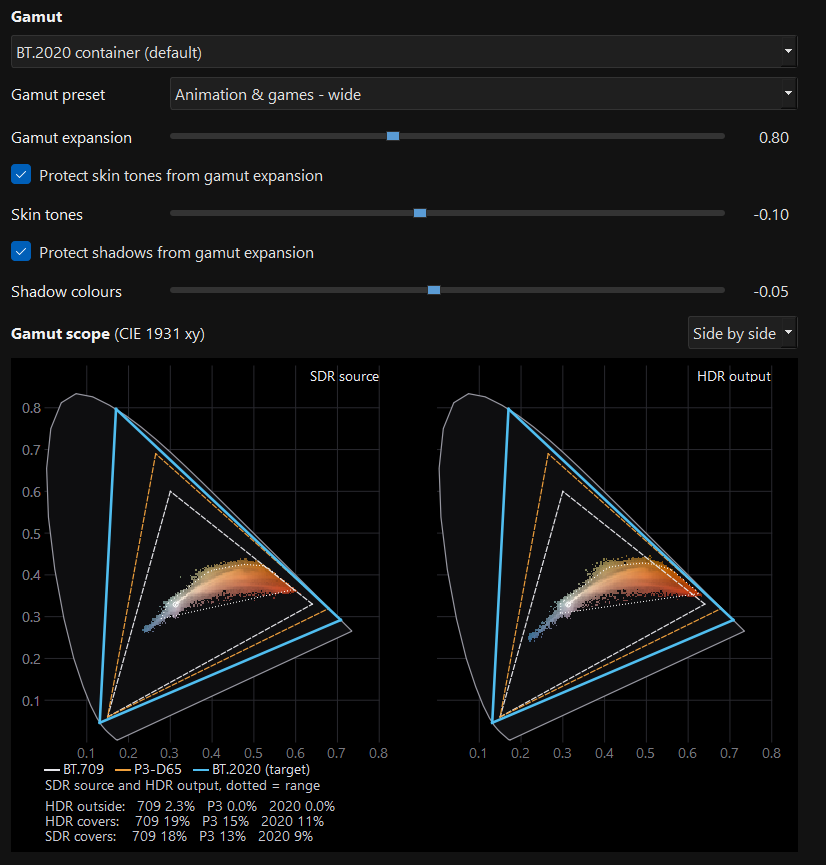
- CIE 1931 gamut scope against BT.709, P3-D65 and BT.2020, false colour and nit read-out
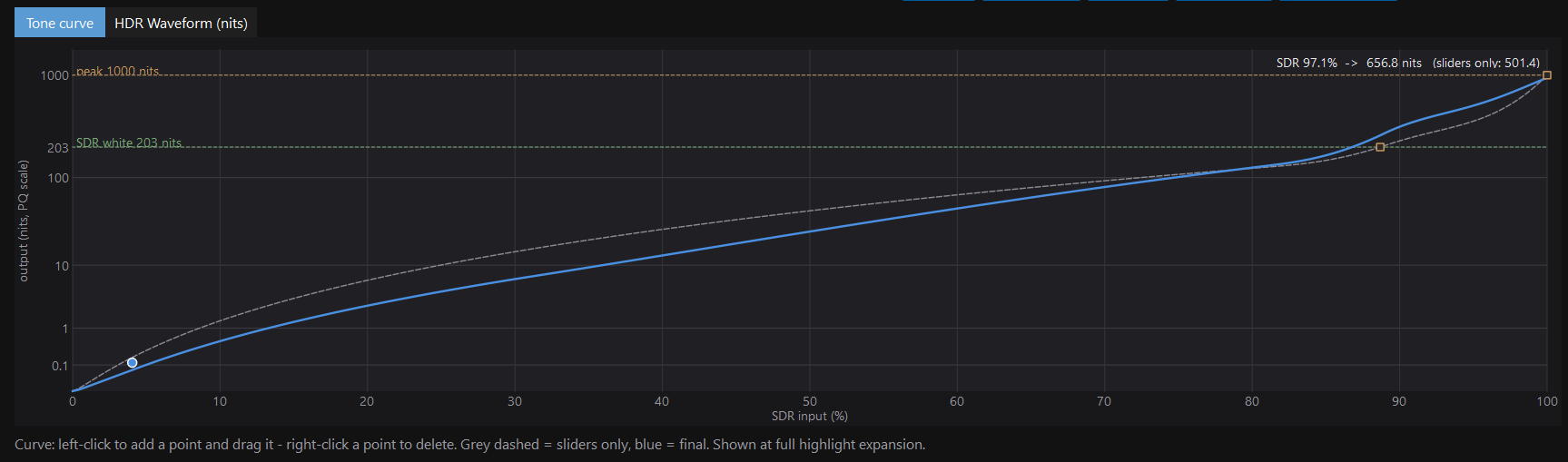
- Tone curve on real HDR axes, mid-grey target in nits, black point, highlight limiter
- Per-scene bright-area control with adjustable levels, logged scene by scene
- Source EOTF (BT.1886, Rec.709-A, sRGB, 2.6), full / limited range, P3-D65 limit, ProRes 4444 XQ HDR
- Profiles that save the whole grade for repeatable deliveries
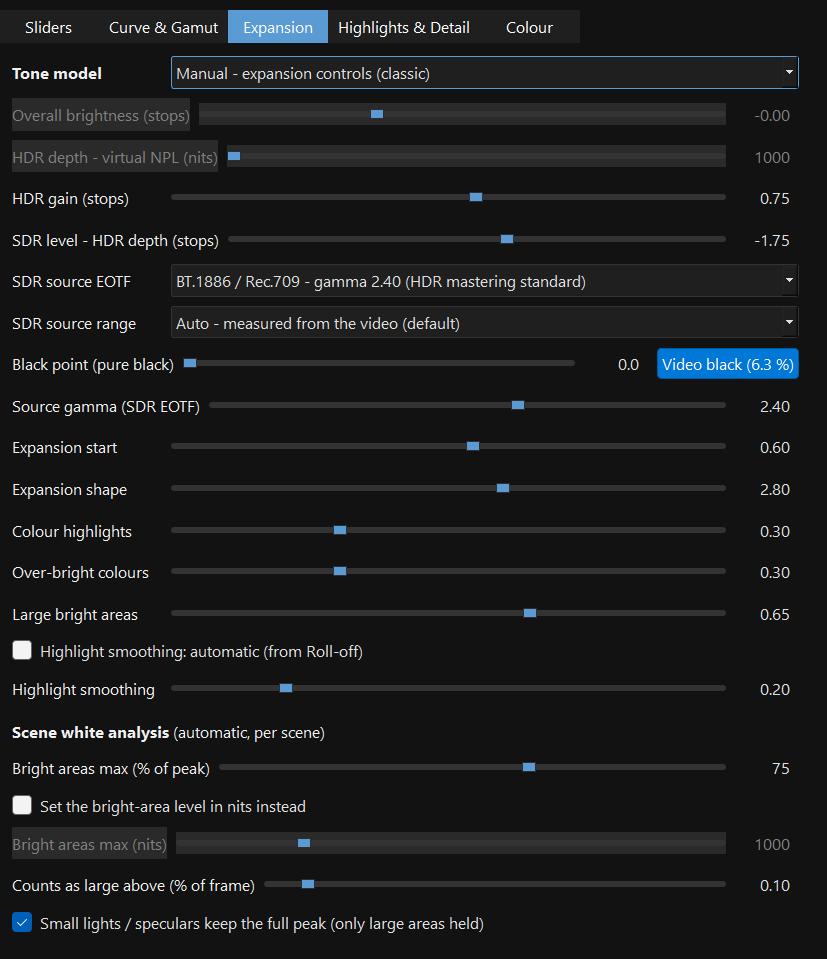
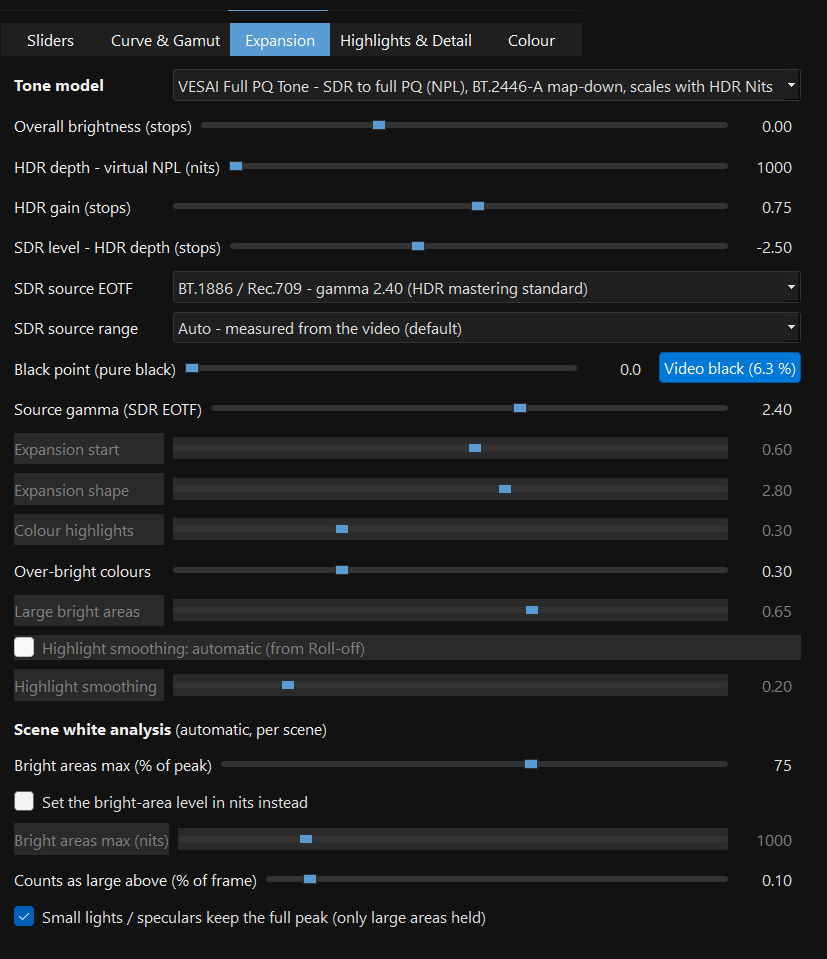
- HDR depth: SDR level pushes shadows and midtones down in PQ while the peak holds; HDR gain up to +3 stops
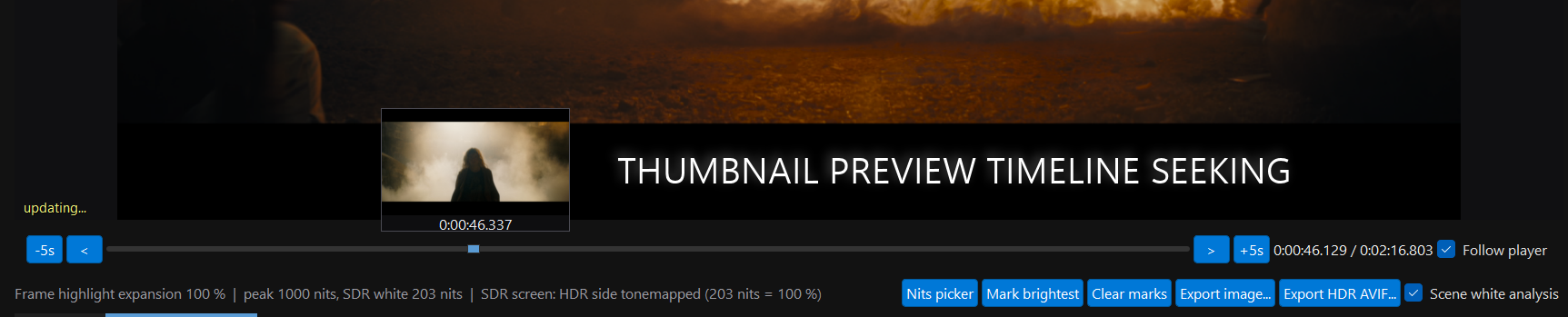
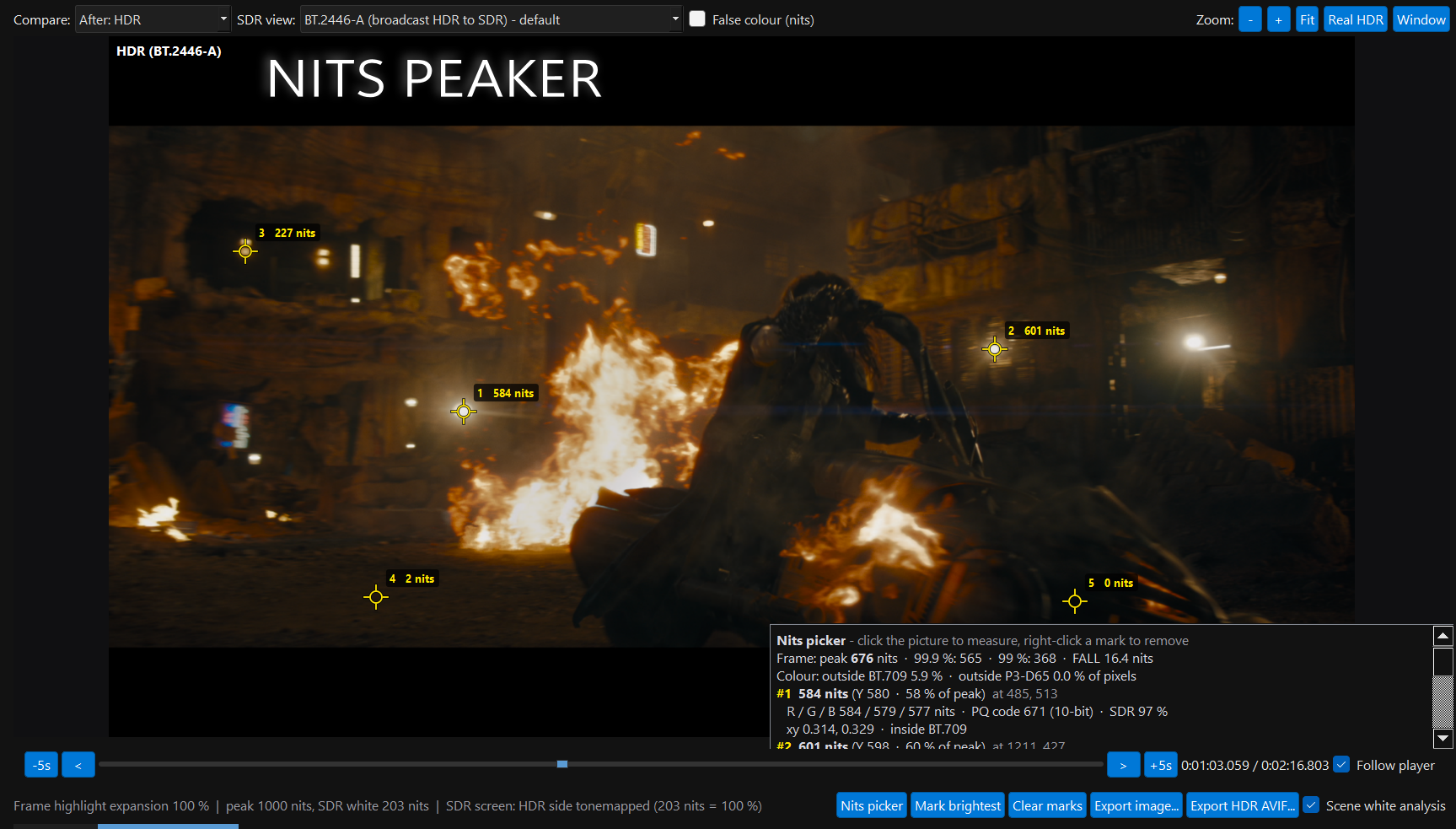
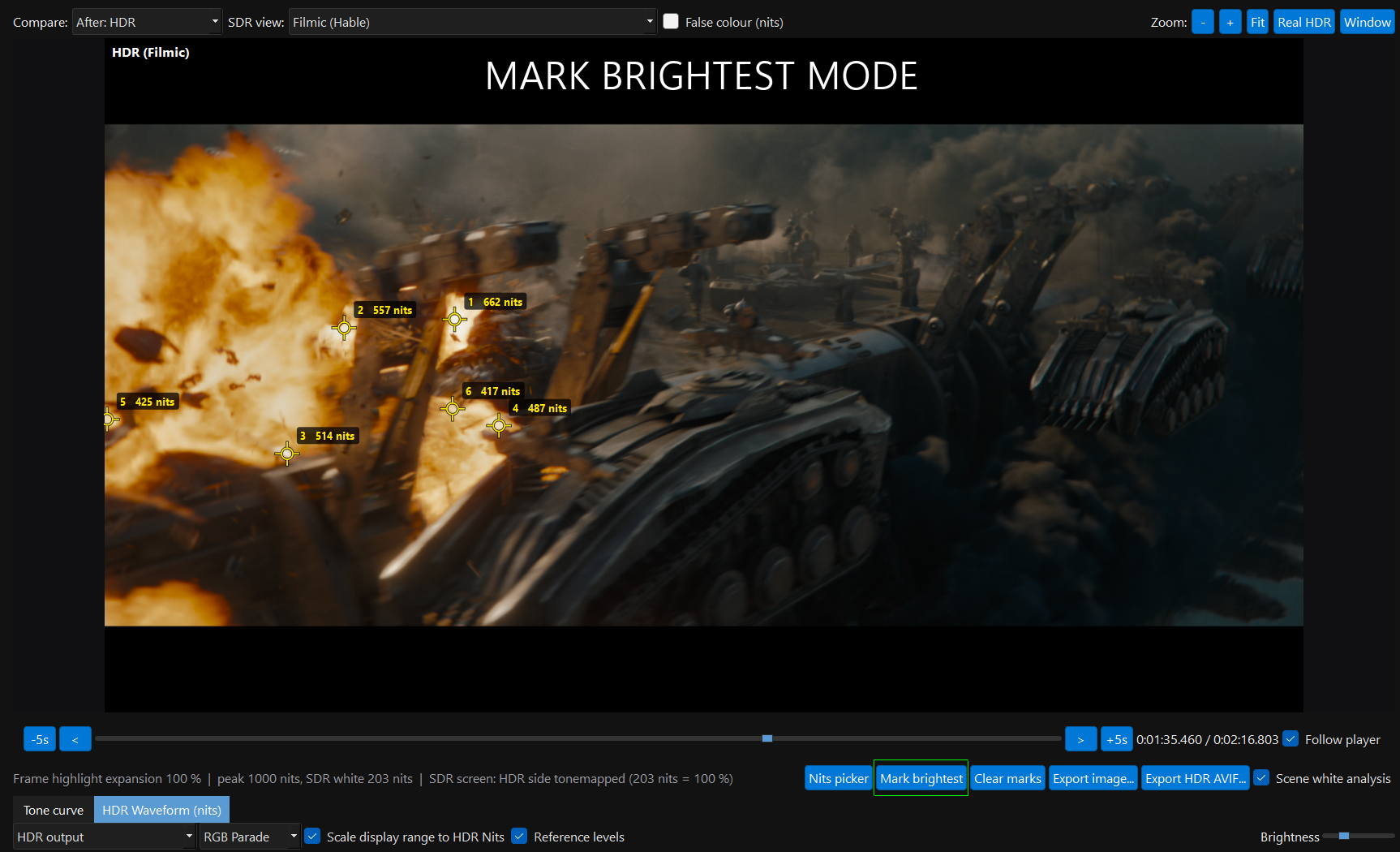
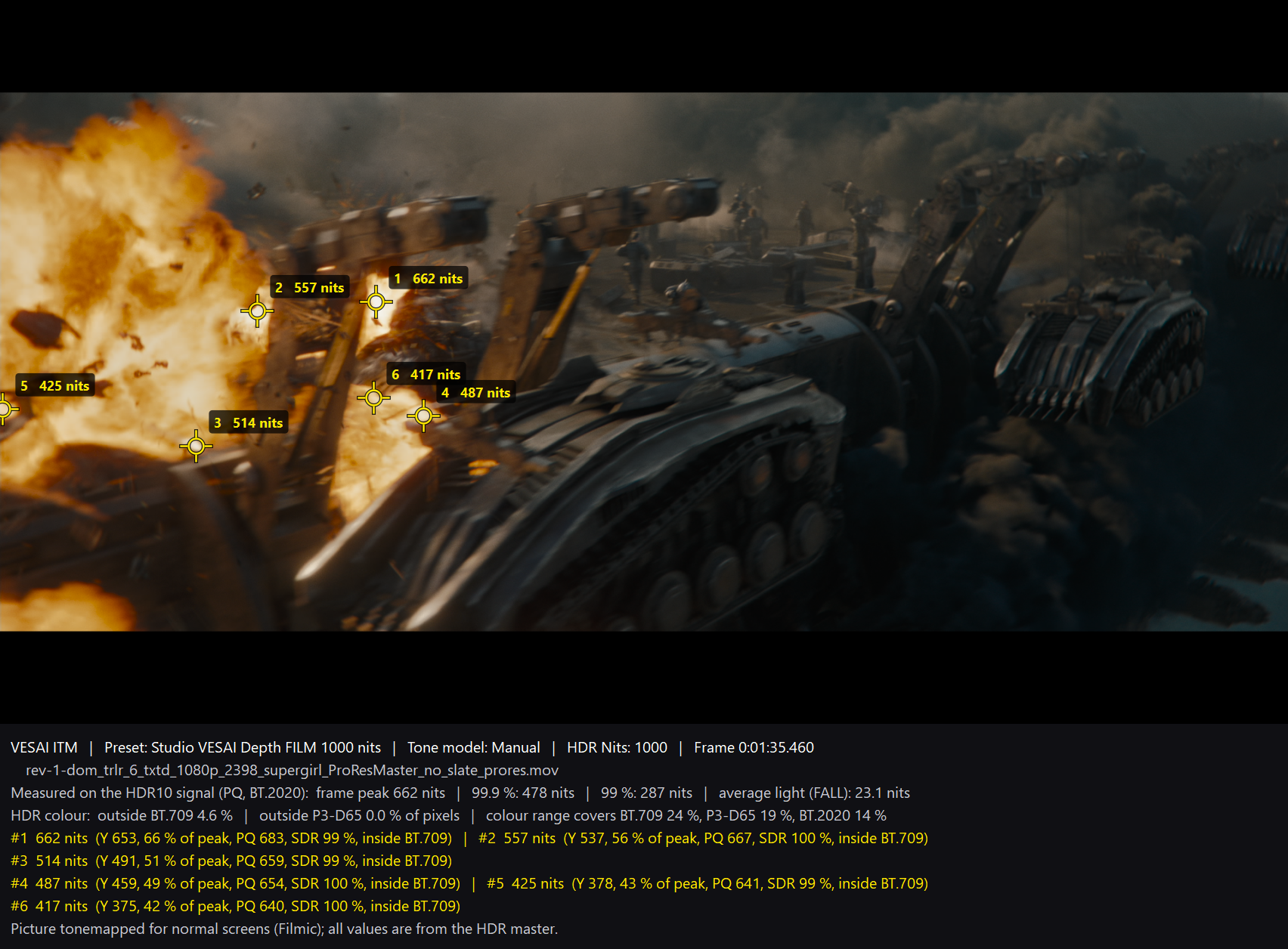
- Nits picker and Mark brightest: measure any spot in real nits, export the frame with an HDR info bar
- Highlight recovery, highlight softness, black zone and Oklab six-vector colour grading
- Specular isolation in a safe range for the HDR Nits, automatic light cores per scene with adjustable strength
- Wide gamut accents: per-hue BT.2020 expansion of saturated, lit colours with skin protection, and a before / after CIE scope in the Colour tab
- Grade cube: load your own .cube from Resolve (ST 2084 / Rec.2020), applied as the last step
- Custom upscaling models (.onnx) with TensorRT-RTX
- Web HDR AVIF + SDR JPG and full frame sets (heatmaps, gamut view, 16-bit PQ PNG) of any frame, with your upscaling model applied
- VESAI Match: fit the whole conversion to an official UHD HDR grade, with a per-brightness-band report in stops
- Compare SDR / HDR: brightness heatmaps, gamut view, per-shot MaxCLL / FALL plots of a whole film
- RGB balance in linear light, HDR gamma and contrast in PQ, saturation guard, clipped highlight peak, frame-number seek
See exactly what the encode will be
The preview is rendered by the same engine as the final encode. What you approve is what you deliver.
Prove it, frame by frame and film by film.
One button in the Advanced HDR window makes the comparison images HDR reviewers use: rendered by the same engine as the encode, for the frame you're on or for a whole film.
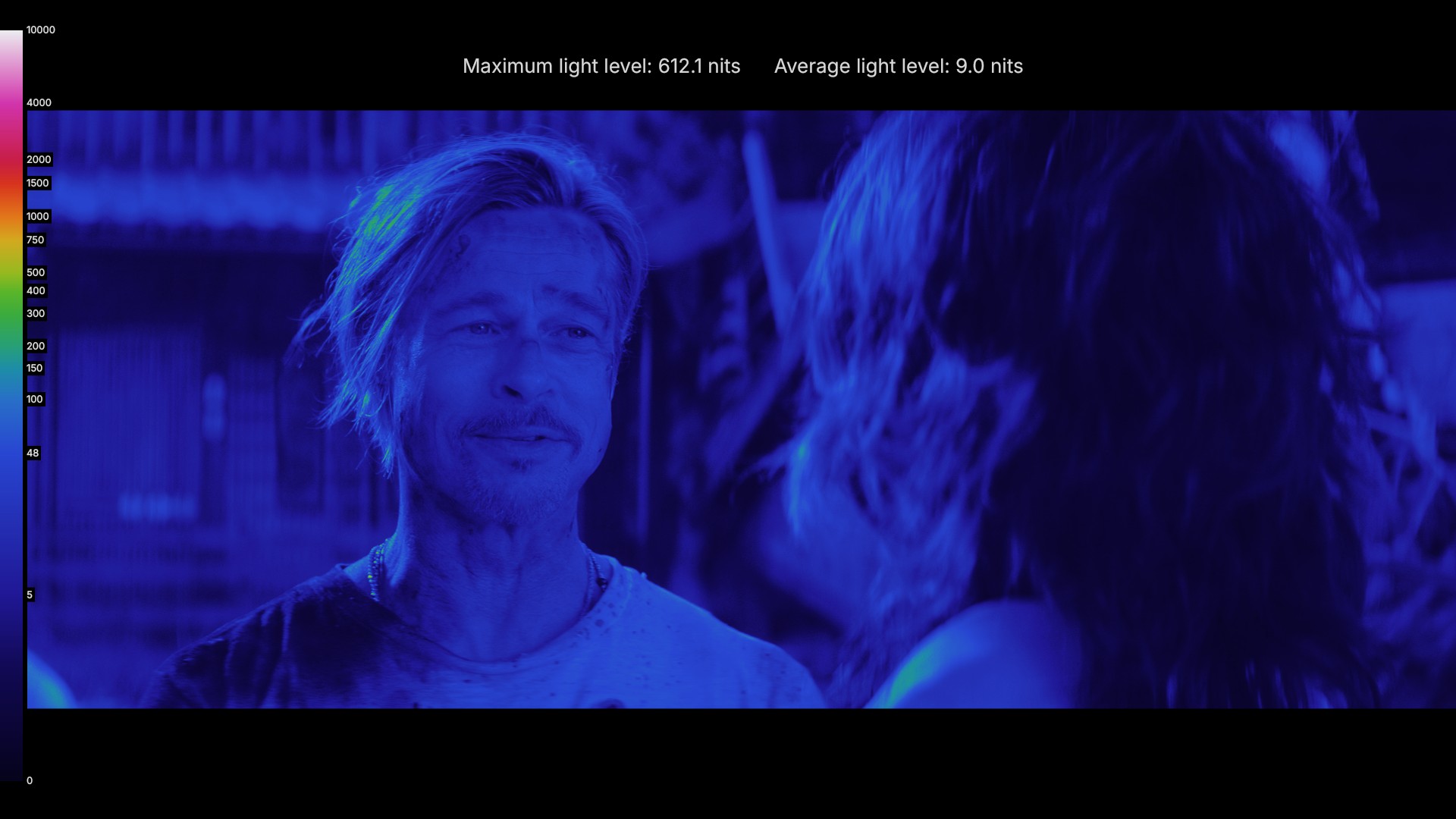
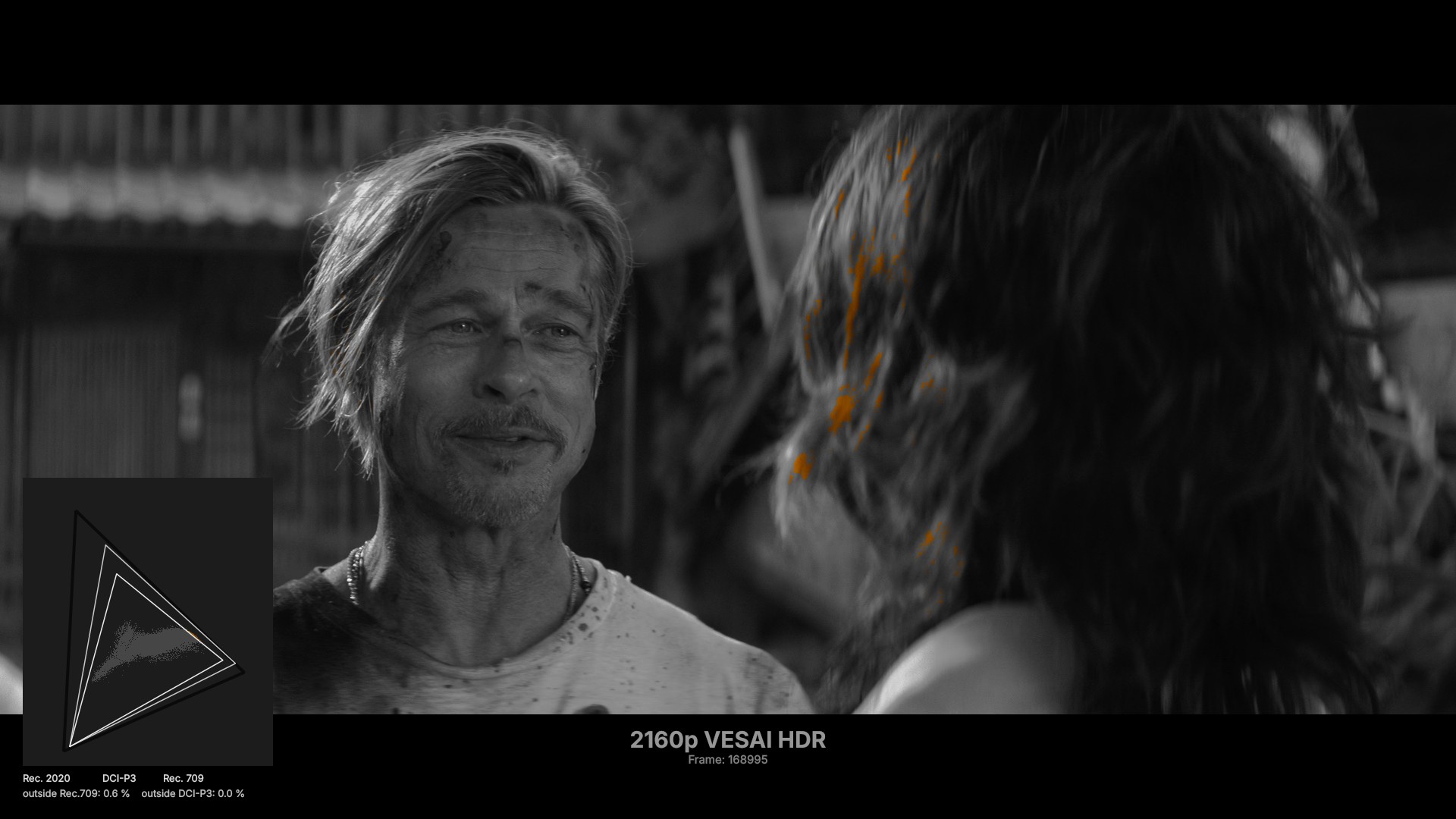
Also saved for every frame: the SDR and HDR frames with captions, the HDR as a real HDR10 AVIF and 16-bit PQ PNG, and a tonemapped copy for normal screens. Whole-film numbers are saved as JSON too.
Every tool, on screen
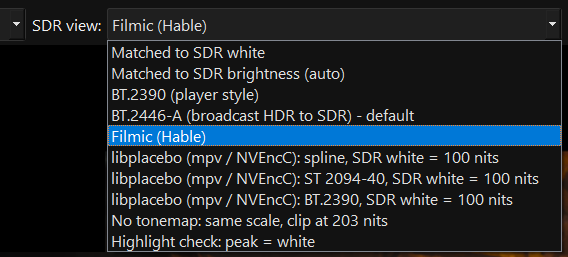
Real screenshots from VESAI 2.3. Click any image to see it full size.
Live preview, rendered by the encode engine
Real HDR inside the window with Windows HDR on, tonemapped on SDR screens. What you approve is what you deliver.
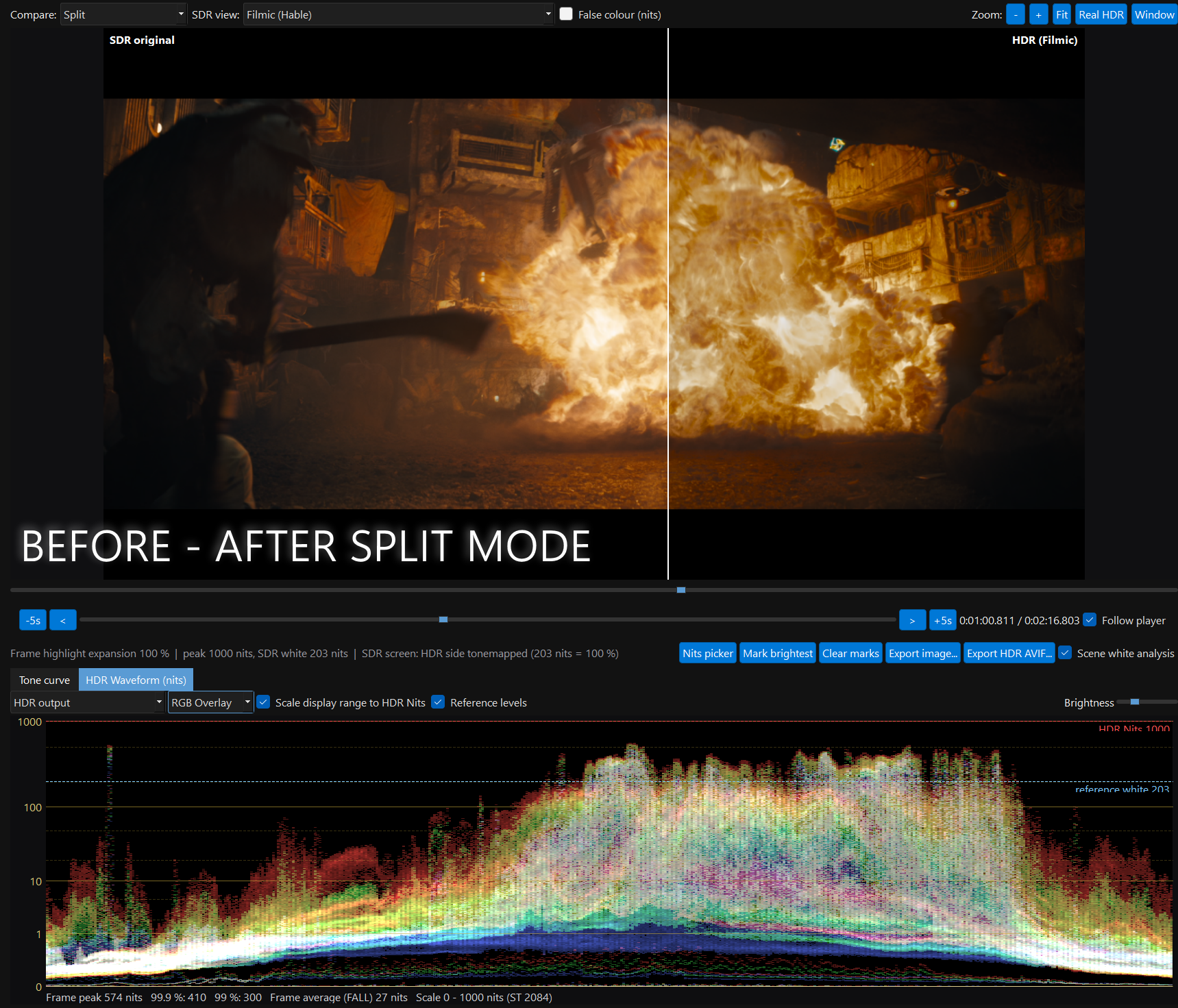
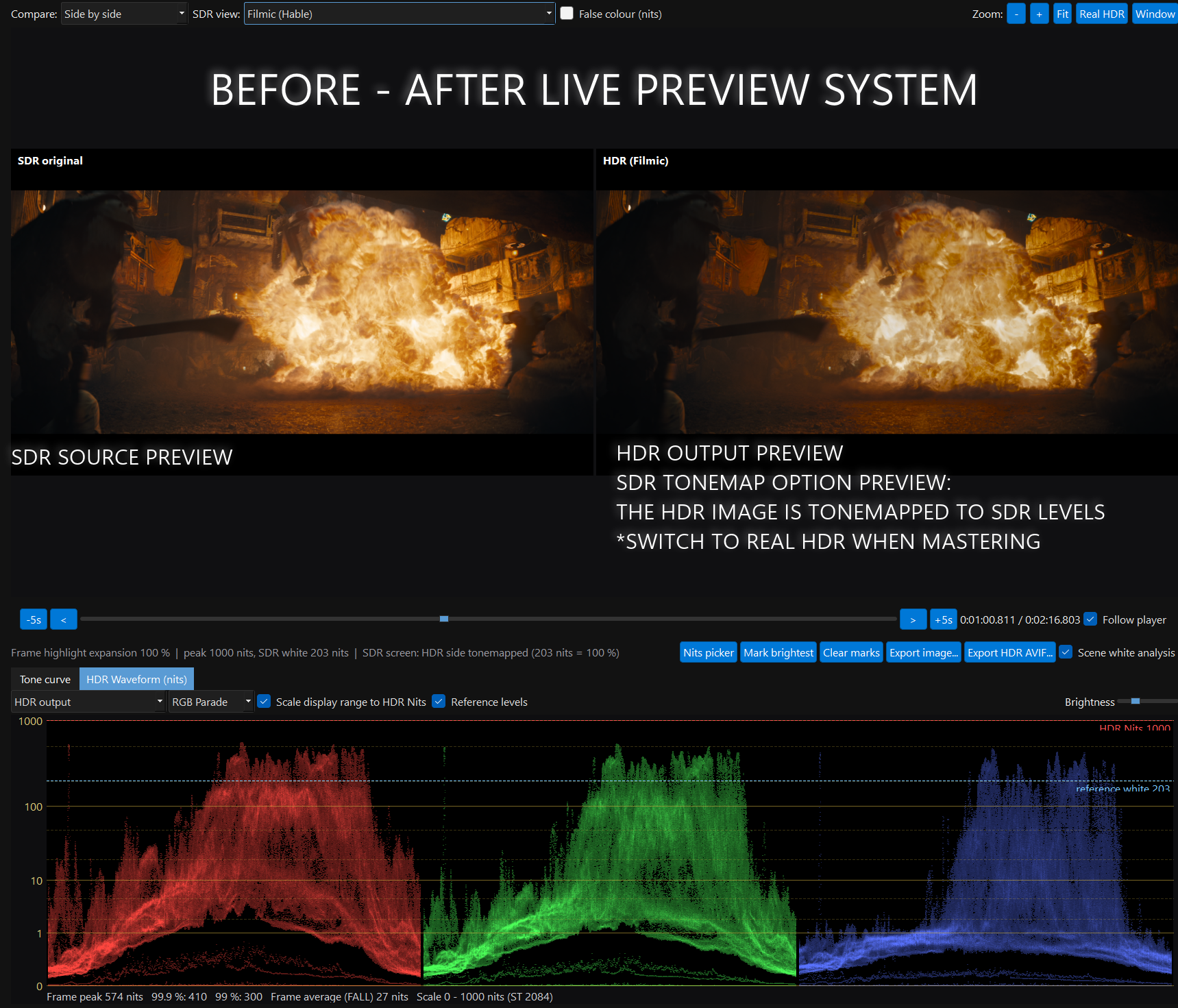
HDR scopes and the tone curve
Measure the master like a colourist: brightness in real nits on the ST 2084 scale, colour against BT.709, P3 and BT.2020.
Nits picker and HDR export
Click any spot to read its real HDR brightness, mark the brightest lights automatically, and export the frame with every measurement.
A full HDR grading window
Every part of the conversion is yours to shape: depth, highlights, blacks and colour.
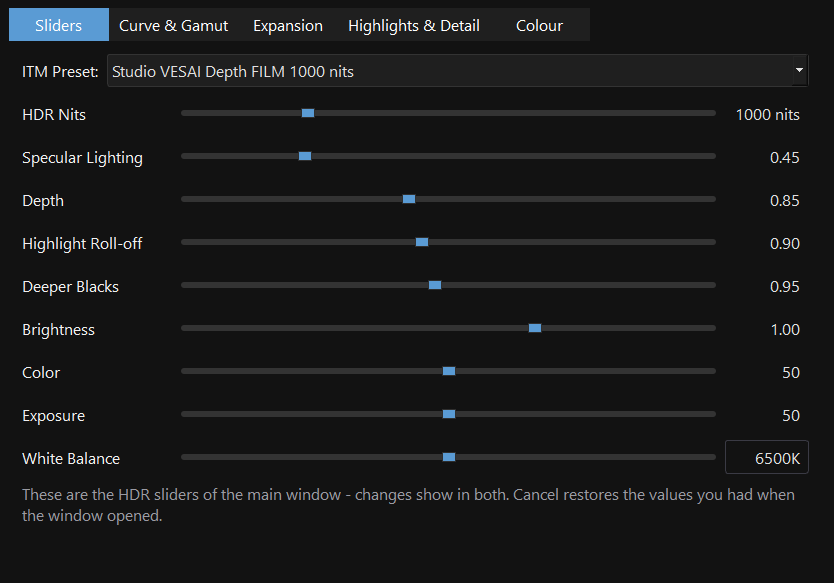
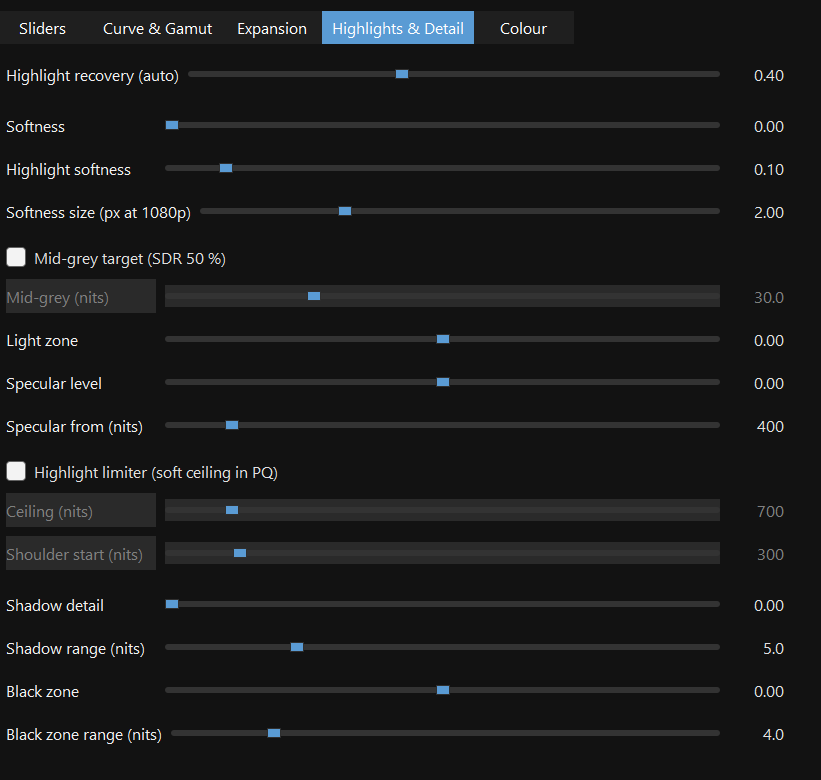
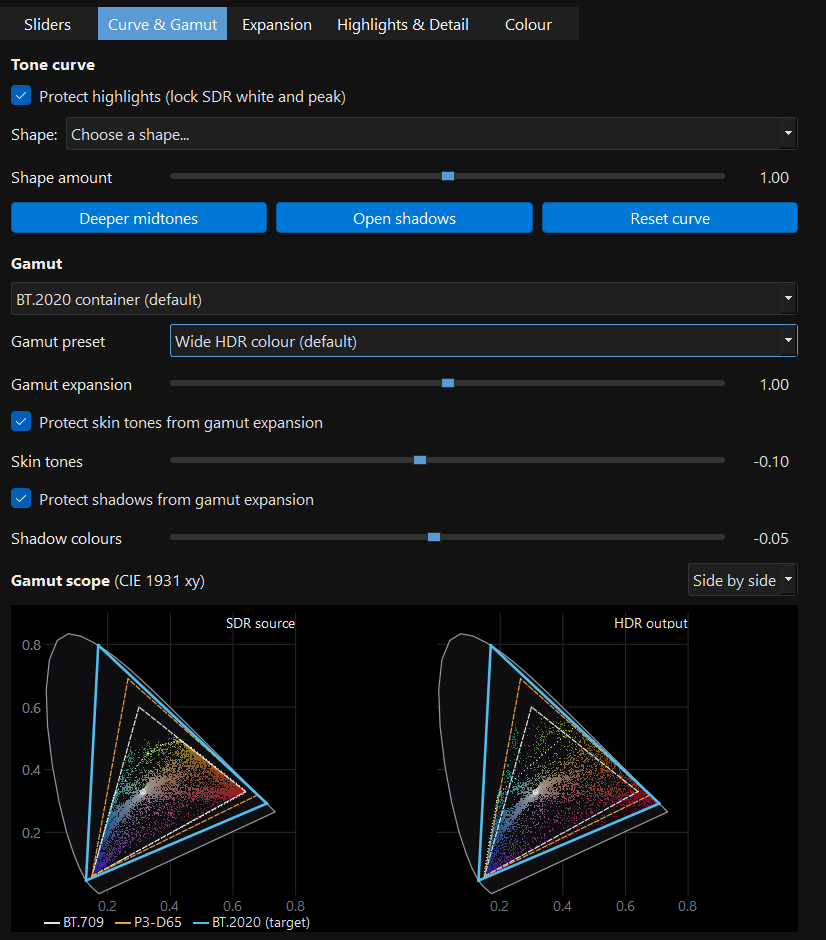
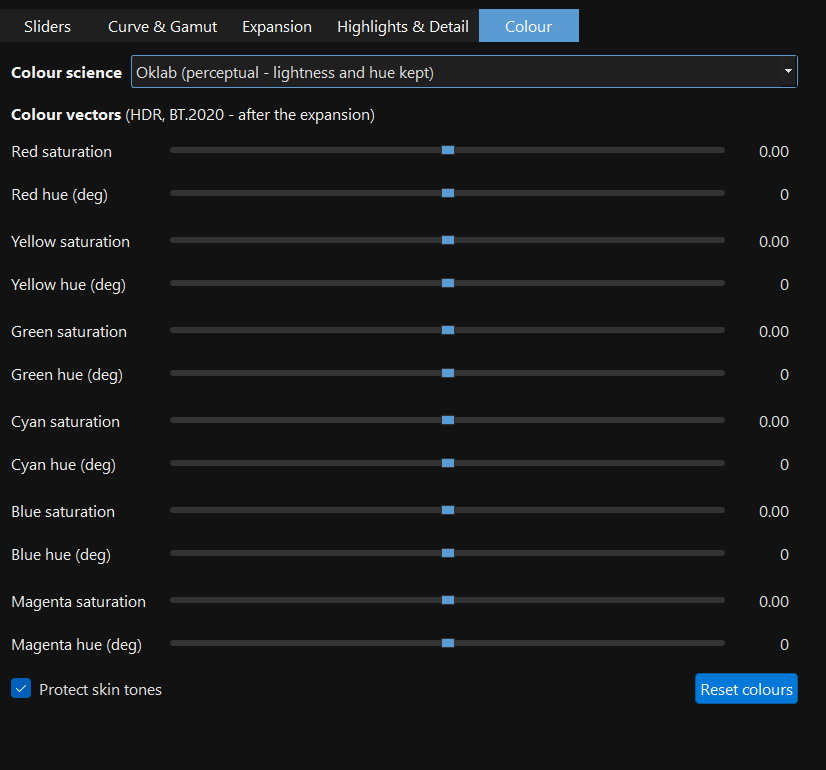
One click from the main window
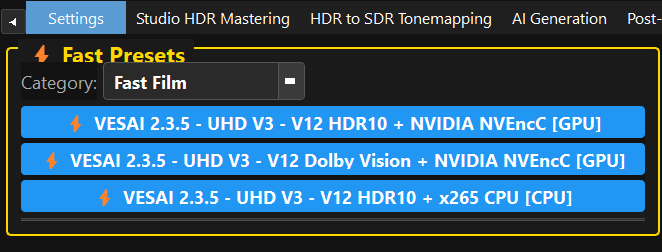
Pick an ITM preset or a Fast Preset and encode. The default gives real HDR depth without touching a slider.
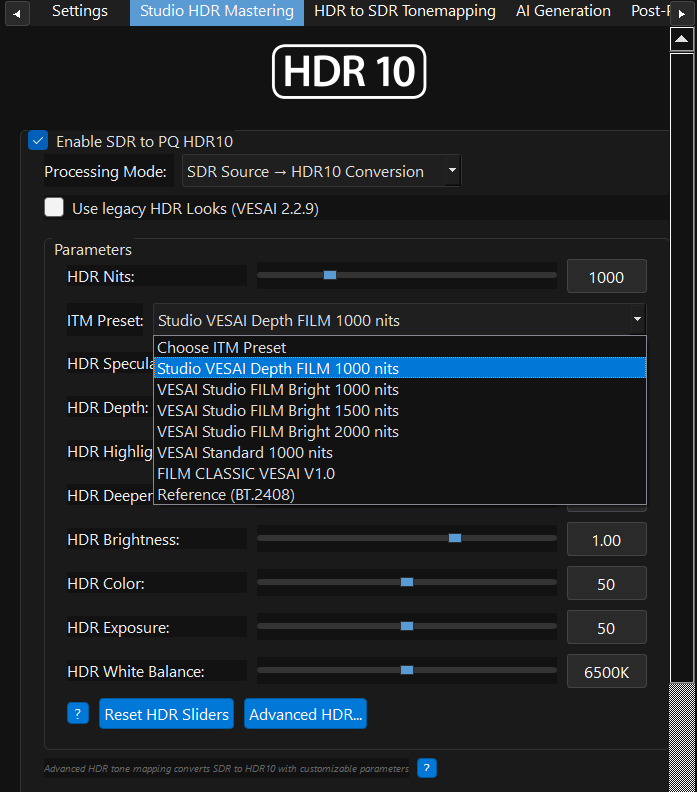
HDR + Upscaling + Interpolation, together
Pristine 10-bit AVIF masters
HDR10
HDR10
HDR10
HDR10
Fake HDR is everywhere. Real HDR is only here.
Most "SDR to HDR" tools boost brightness, crank contrast, and repackage SDR inside an HDR container. The dynamic range never changes.
- Amplifies SDR brightness and calls it HDR
- Colors stay trapped in BT.709 gamut
- No real expansion of dynamic range
- One filter on every frame — no scene analysis
- Metadata copied from a slider, so TVs clip the highlights
- No real-time preview: render first, pray later
- Analyses the whole video and masters every scene on its own
- Studio tone: natural skin and midtones, real specular highlights
- Large bright areas held back automatically, glints keep the peak
- Hue-preserving colour in a BT.2020 container, safe gamut expansion
- MaxCLL / MaxFALL measured from the result + Dolby Vision workflow
- Preview rendered by the encode engine, with HDR scopes
We compared the main SDR-to-HDR tools. None does all of this.
AI converters don't analyse the video: they convert each frame as it comes. Grading suites need a colourist. VESAI analyses the whole film and masters it, with the controls a professional expects.
| Feature | VESAI 2.4.1 | Topaz Video AI Hyperion | UniFab HDR Upconverter | NVIDIA RTX Video HDR | DaVinci Resolve |
|---|---|---|---|---|---|
| Whole-video scene analysis before converting | ✓ Every shot | ✗ No analysis | ✗ No analysis | ✗ No analysis | Manual, shot by shot |
| Automatic specular isolation (pixel level) | ✓ Automatic | Not documented | Not documented | Not documented | Manual (qualifier + mask) |
| Choose the mastering peak (1000–10,000 nits), same look at every peak | ✓ Highlights rescale | Not documented | Not documented | ✗ | ✓ |
| MaxCLL / MaxFALL measured from the result | ✓ | Not documented | Not documented | ✗ No file | Manual |
| Grading controls (curve, depth, highlights, six colour vectors, gamut) | ✓ Full set | Exposure, saturation, highlight threshold | Colour space, format | Basic | ✓ Full (manual) |
| Perceptual colour science (Oklab) | ✓ | Not documented | Not documented | Not documented | Via colour-managed workflow |
| Live HDR preview rendered by the encode engine | ✓ | Render a preview first | Not documented | Playback only | ✓ |
| HDR scopes in nits (waveform, gamut, nits picker) | ✓ | ✗ | Not documented | ✗ | ✓ |
| Exports a real HDR10 file | ✓ + Dolby Vision workflow | ✓ | ✓ HDR10 / Dolby Vision | ✗ Playback only | ✓ |
| Matches an official UHD HDR grade automatically | ✓ VESAI Match | Not documented | Not documented | ✗ | Manual, by eye |
| SDR vs HDR comparison export (heatmap, gamut, MaxCLL / FALL plots) | ✓ | Not documented | Not documented | ✗ | Scopes only |
| Light cores: lamps, sparks and fires lifted above their glow, per scene | ✓ Automatic | Not documented | Not documented | Not documented | Manual (qualifier + mask) |
| Large bright areas (skies, white walls) held per scene, small lights keep the peak | ✓ Automatic | Not documented | Not documented | Not documented | Manual, shot by shot |
| Skin-safe wide colour past DCI-P3 toward BT.2020 (per hue) | ✓ Wide gamut accents | Not documented | Not documented | Not documented | Manual (qualifier + mask) |
| Tone curve matched to UHD Blu-ray grades (default preset) | ✓ SAFE Film presets | Not documented | Not documented | Not documented | Manual |
| Load your own grade (.cube from Resolve) as the last step | ✓ | Not documented | Not documented | ✗ | ✓ |
| Works without a colourist | ✓ Presets or full control | ✓ | ✓ | ✓ | ✗ |
Based on each product's public documentation, October 2026. "Not documented" means we could not find the feature in that product's documentation. Topaz Video AI, UniFab, NVIDIA RTX Video HDR and DaVinci Resolve are trademarks of their respective owners; VESAI is not affiliated with them. Send us a correction and we'll update this table.
Already HDR? VESAI still improves it.
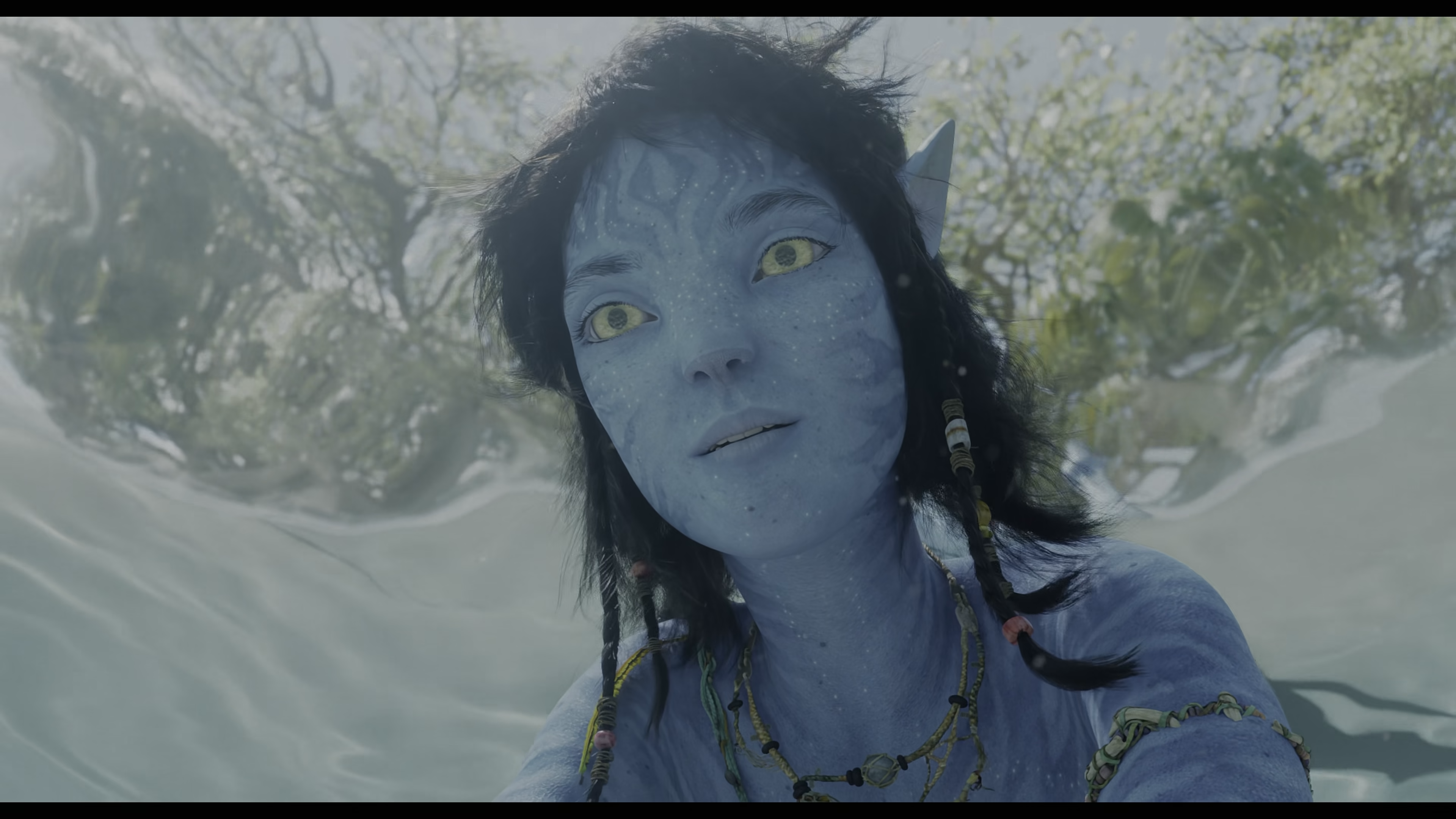
This one is subtler and it is not the main point — it is the same studio HDR master, re-graded by VESAI. Highlight roll-off, shadow separation and gamut coverage all improve without touching the original intent.
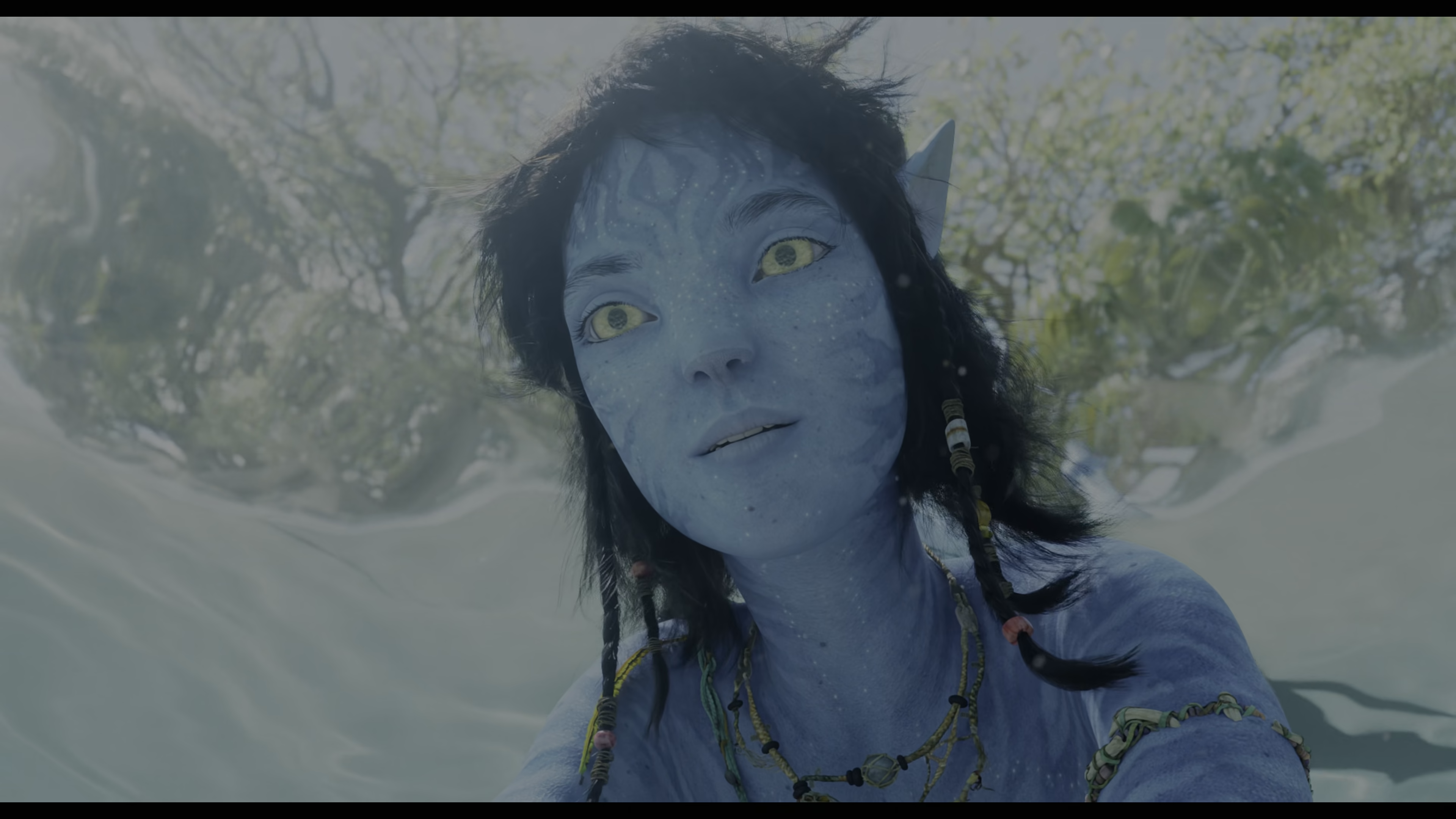
 ORIGINAL HDR
VESAI ENHANCED
ORIGINAL HDR
VESAI ENHANCED
Pick your tier. Start today.
Every license includes cloud AI model updates. Desktop processes locally on your GPU. No GPU? VESAI Cloud runs in any browser.
- 1 machine
- Full HDR10 Mastering
- AI Upscaling & Interpolation
- Full AI model set
- 1 machine
- Full HDR10 Mastering
- AI Upscaling & Interpolation
- AI Generation Suite
- Up to 5 machines
- Everything in Creator
- AI Generation Suite (local)
- Attribution optional
Master real HDR today
Try VESAI 2.4 free for 1 day: full Creator features, the new HDR core, no watermarks. Card required — cancel before it ends and you're not charged. Desktop software or cloud service — your choice.
Photorealistic AI characters, perfectly consistent across scenes, animated with realistic motion. Persona Vision · Consistent Character Studio · Realism Motion Engine — all in your browser.