Description
One Year License
🚀 Creator Tier
Upscaling & Enhancement
Professional HDR Mastering · AI Upscaling · Frame Interpolation
- ⚡ GPU TENSORRT
- 🎨 HDR10 MASTERING
- 🔥 UP TO 12K OUTPUT
- ✓ WINDOWS 10/11
🎭 Creator Tier License Features
- ✓ Up to 1 Local Machine per License
- ✓ Advanced HDR10 Conversion
- ✓ Advanced Interpolation + Post-Processing
- ✓ Full AI Model Set
- ✓ Discord Creator Tier
- Attribution requirement — you must specify content is created using our software
⚙ Hardware Compatibility
- Dedicated GPU required for the software to run
- DirectML — Intel and AMD GPU support [Upscaling / HDR / Restoration]
- NVIDIA TensorRT and Lightweight RTX Loaders for maximum speed
- One Year License + AI Model Updates from the Cloud included
- Personal and Enterprise Licenses available
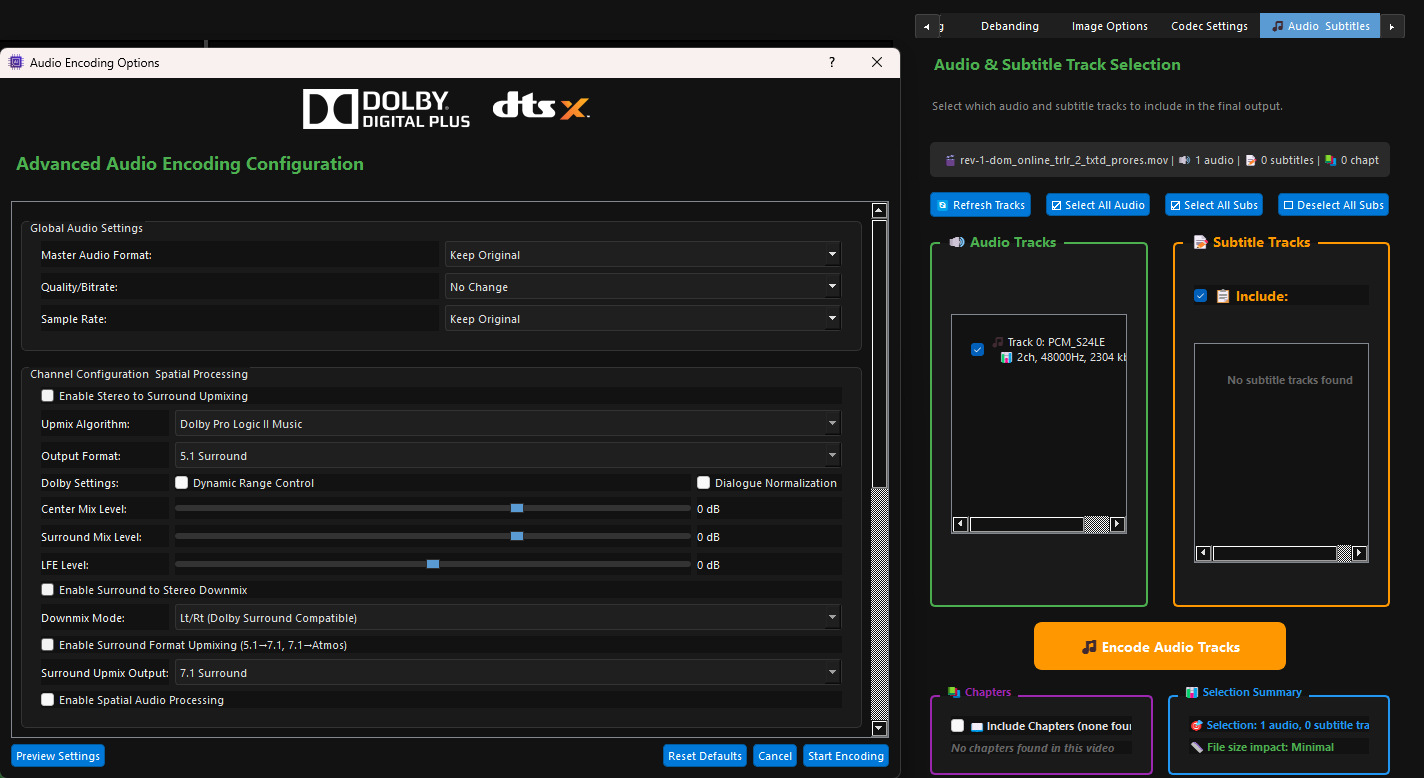
🎵 Advanced Audio Encoding — Upmix and Enhance
- Upmix Stereo sources to real Surround 5.1/7.1
- Enhance Dialogs, Stereo spectrum, Spatial, 3D Audio and much more
- Enhance Surround tracks in real surround formats
✨ Advanced Proprietary HDR10 Mapping — Our Most Powerful Feature
✨ Core HDR Technology
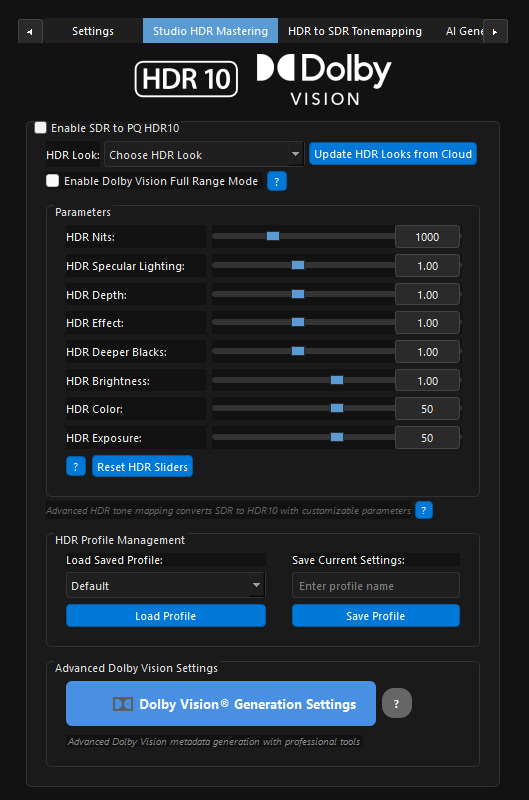
- Studio-Grade HDR10 Mapping — Multiple professional Looks with advanced customization sliders
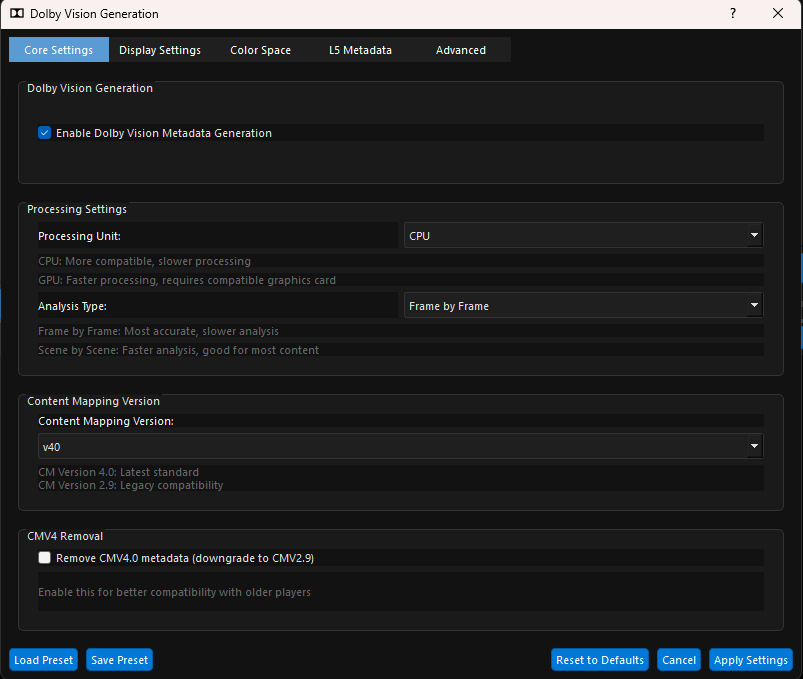
- Dynamic Metadata Ready — Calibrated presets for optimal HDR across most devices and TVs
- Advanced HDR10 FILM Mode — Full Range mode, ready for dynamic metadata generation tools
- Professional HDR Looks — Cinematic, Animation, Old-Films and more
🎭 HDR Control Sliders
Use “No Look” for raw HDR output ready for grading in your preferred software
- HDR Nits — Fine-tune output quality along a pre-calibrated curve
- HDR Specular Lighting — Enhance peak highlights in your masters
- HDR Depth — Enhance depth perception (start with subtle values)
- HDR Effect — Boost or reduce overall HDR contrast
- HDR Deeper Blacks — Restore washed-out shadow detail
- HDR Brightness — Modify luminance levels in HDR space
- HDR Color — Boost vibrance for washed-out SDR sources
- HDR Exposure — Expand or compress overall exposure levels
- HDR White Balance — Control D65 Point White Balance
🎭 Preview & Encoding
- Real-Time HDR Preview — Preview the active frame in Native or Tonemapped HDR
- Before/After Comparison — Native HDR and processed output side-by-side
- x265 Direct CPU Codec Recommended — Properly embeds dynamic HDR SEI metadata
✨ Additional Features
🎨 Video / Image Overlay
- Seamless Overlay Support — Overlay both videos and images onto your content
- Video Overlay — Black-background logos and titles composited automatically
- Opacity Controls — 100% recommended as default setting
⚙ HDR Mastering Mode (No Upscaling)
- Dedicated HDR-Only Mode — When upscaling is not needed
- HDR Mastering Workflows — Ideal for HDR Mastering or Interpolation workflows
- Encoding-Only Operations — Re-encode video files to different formats
🎭 Before / After — SDR to HDR Mastering
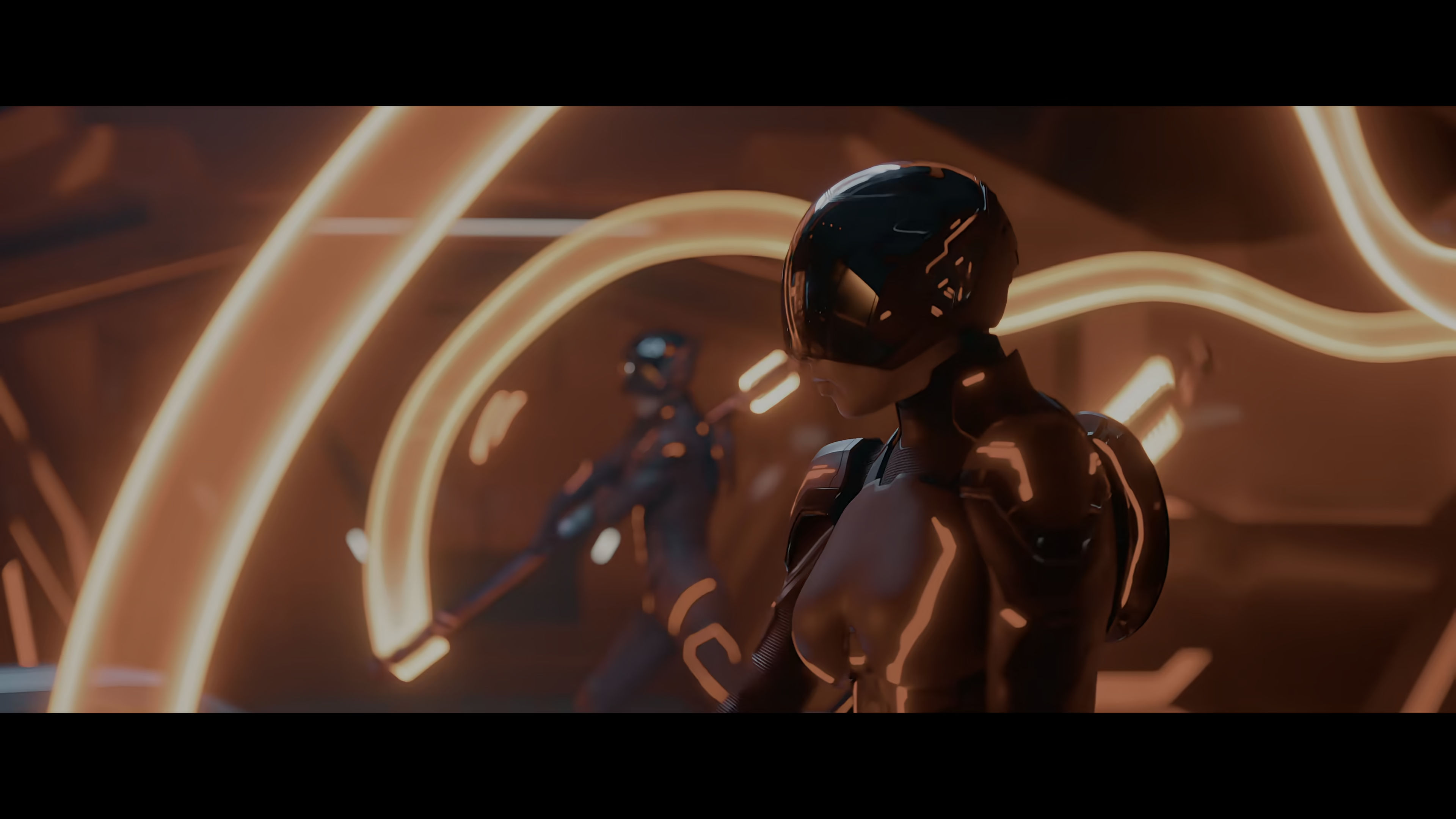
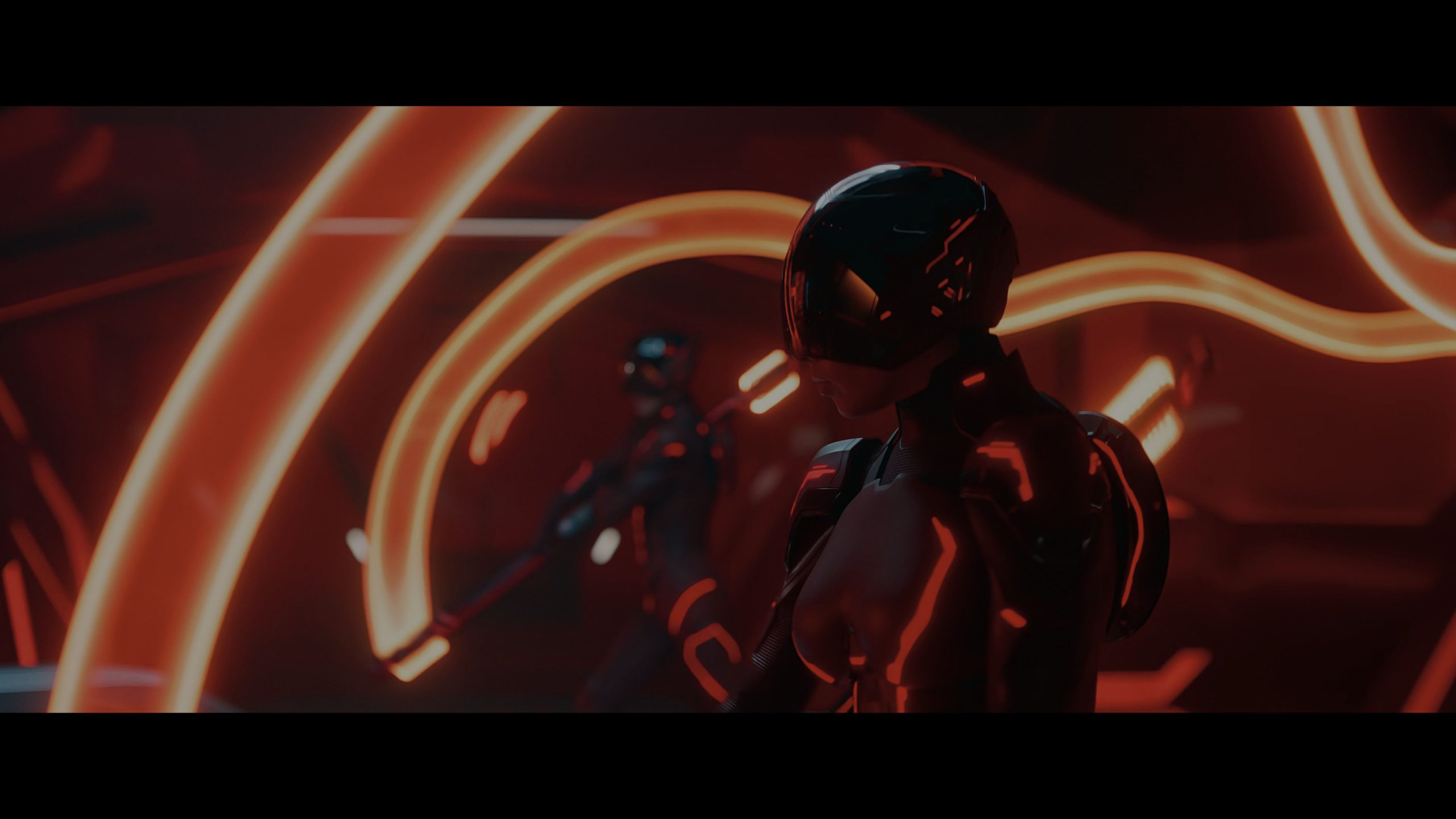
Before - Original
After - Enhanced
Manual Mode
Zoom: Disabled
Reveal: Disabled
🎭 Native HDR vs. SDR — Realtime Comparison
Best viewed in native HDR mode. Enable Windows HDR on desktop.
“Tron: Ares” (Disney ©) — For demonstration purposes only
HDR Version
SDR Version
Manual Mode
🎭 Before / After — AI Upscaling
💻 High-Performance GPU Processing
⚡ GPU Acceleration
- GPU TensorRT Upscaling — Most advanced and fastest processing for best results
- DirectX and Vulkan Acceleration — AMD, NVIDIA, and Intel GPU support
- All Graphics Cards Supported — TensorRT or DirectML for maximum throughput
✨ Next-Generation AI Models
🤖 Core AI Technology
- Studio-Quality Upscaling Models — SD to HD, HD to 4K, and beyond
- Custom AI Models — Proprietary and community-created for maximum flexibility
- Adjustable AI Strength — Full control over processing intensity
- Advanced Audio Encoding — Stereo to Surround 5.1/7.1, up to TrueHD Atmos
🎨 Post-Processing Models
Combine upscaling with advanced enhancement models:
- Detail Enhancement — Extract intricate textures and subtle details
- Full Aliasing Removal — Proprietary “Ultra Clarity” post-processing
- Adaptive AI Sharpening — Targets only the areas that matter
- Temporal / Spatial Denoising — Proprietary noise reduction algorithm
- AI Denoise — Remove noise while preserving fine detail
- Advanced Debanding — Multiple filters for difficult compressed sources
- Professional Deinterlacers — Advanced QTGMC and more
- Portrait Enhancement — Refined facial detail restoration
- Film Grain — Artistic grain for vintage or cinematic finish
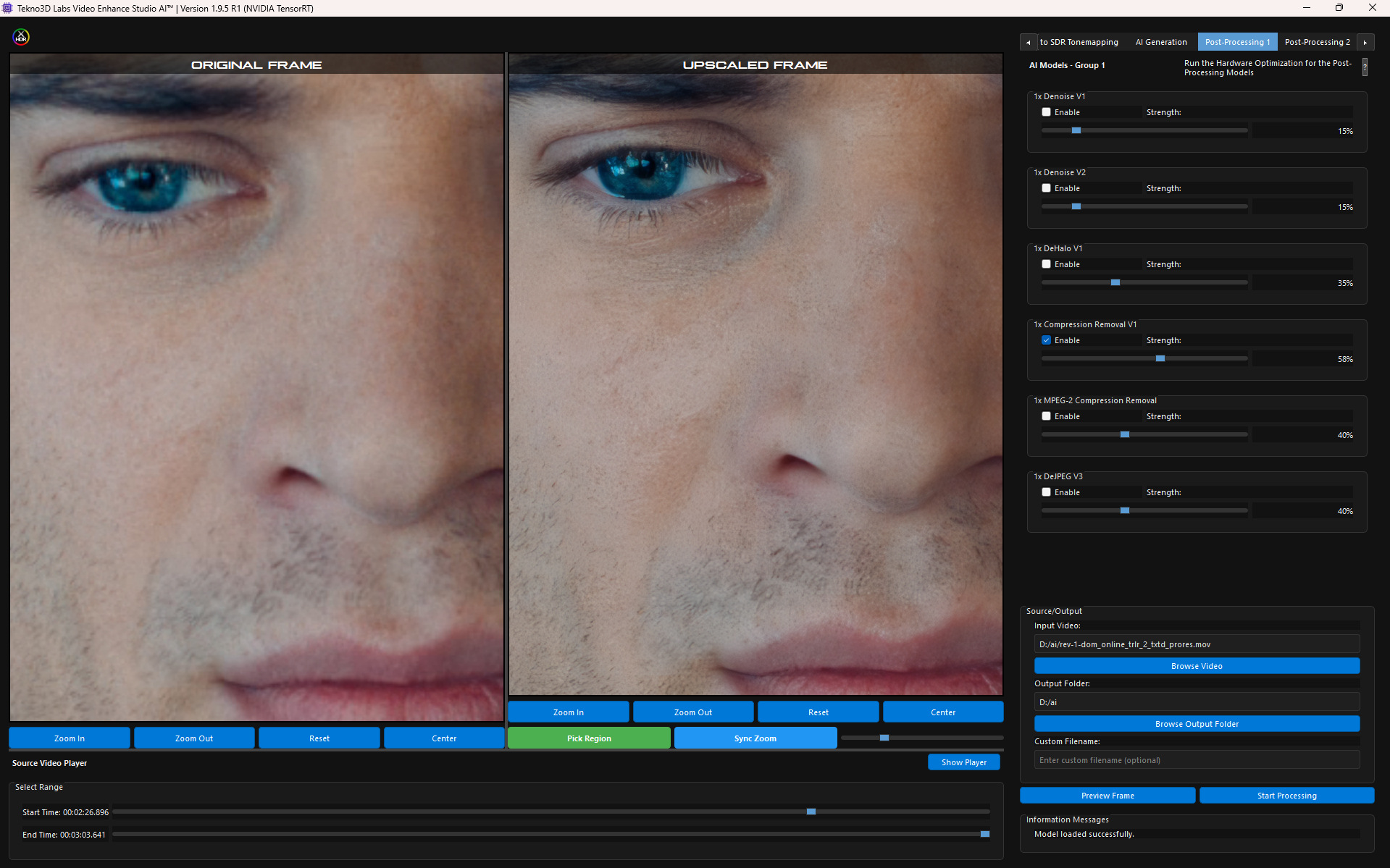
- Compression Removal — Restore quality in low-bitrate video
🎞 AI Interpolation & Slow Motion
🎭 Motion AI Technology
- Tekno3D Labs Motion AI — Proprietary frame interpolation with industry-leading accuracy
- Real-Time AI Frame Generation — High-frame-rate output for all GPU platforms
- Dynamic Interpolation — 60FPS, 120FPS, or 960FPS with top-tier models
- Slow Motion Precision — Cinematic replays and creative storytelling
- Upscaling + Interpolation + HDR — Combined pipeline for next-gen visual quality
⚡ Real-Time Processing & Live Previews
- Before/After Previews — Compare original and enhanced versions side-by-side
- Real-Time Model Switching — Test different AI models on the fly for optimal results
- Profiles for Custom Settings — Save and load configurations for HDR, upscaling, interpolation and post-processing
- Cloud-Connected Updates — Download updated AI models and HDR presets without reinstalling
💼 Professional Codec Support
📁 Supported Formats
- HEVC / H.265 — High-efficiency compression, optimal quality-to-size ratio
- AV1 — Next-generation codec for superior compression efficiency
- ProRes — Full family support up to ProRes 4444 XQ HDR
- MP4 / MKV / AVI — Versatile input and output container support
- Custom Encoding Parameters — Fine-tune every aspect of your export
💻 System Requirements
💻 Hardware
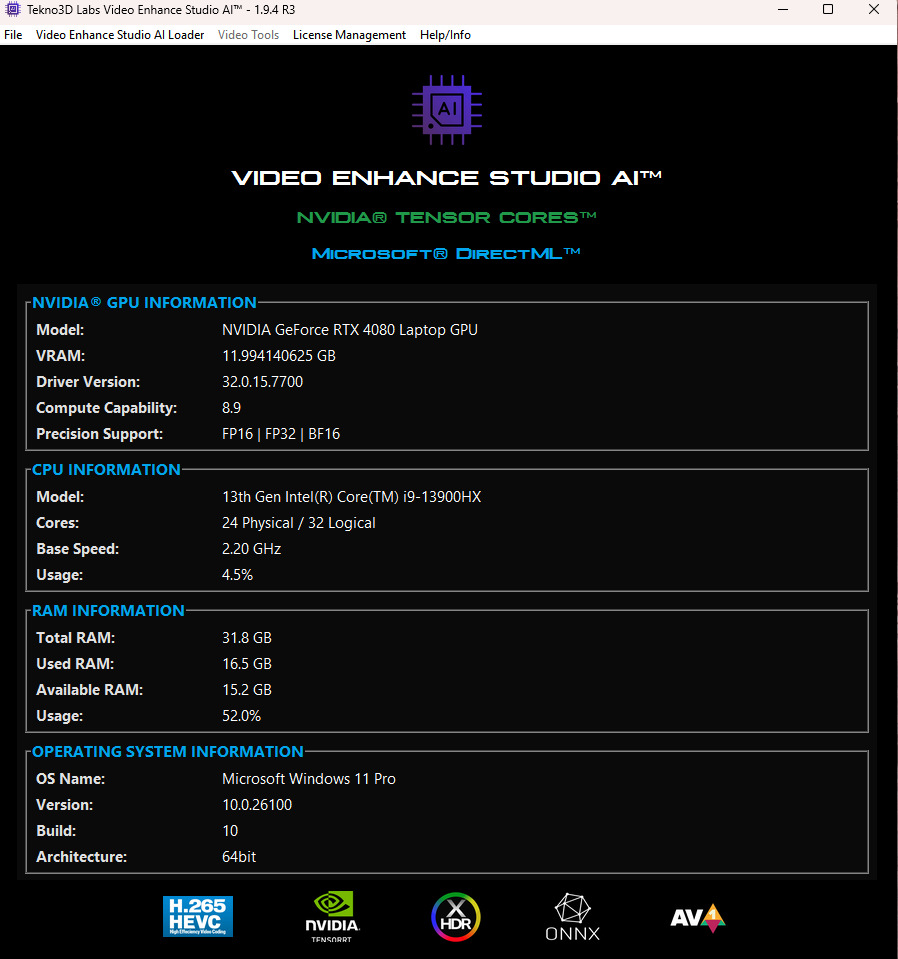
- GPU: Mid-End AMD/Intel (DirectML) or NVIDIA RTX 20/30/40 Series (TensorRT)
- CPU: Modern multi-core processor
- RAM: 16GB minimum — 32GB recommended for 4K+
- Storage: NVMe SSD recommended
💿 Software
- OS: Windows 10/11 64-bit
- GPU Drivers: Latest stable release recommended
- Additional Software: None required — completely self-contained
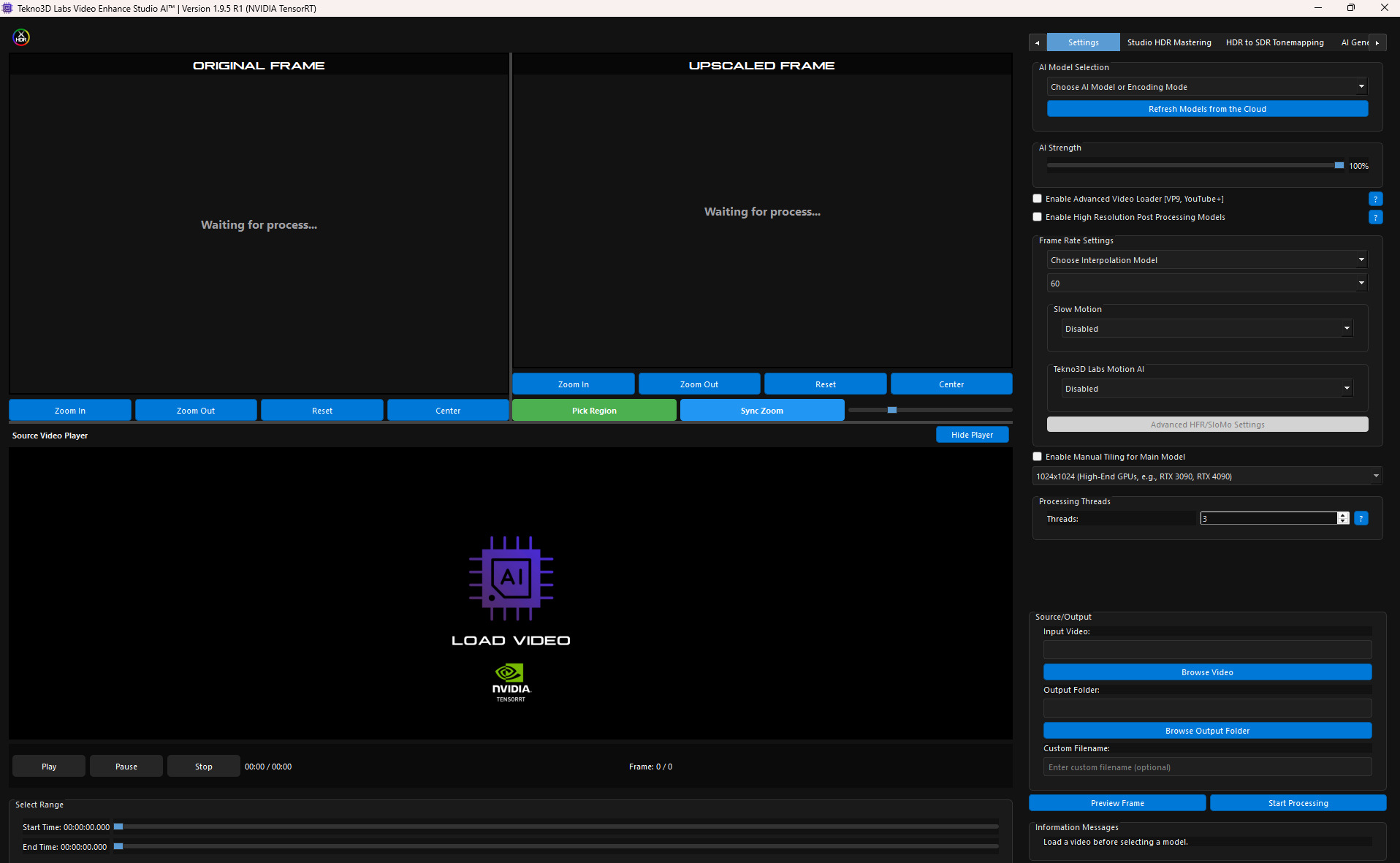
User Interface & Before/After — AI Model + Post Processing
✨ Join the Tekno3D Revolution
VESAI is your gateway to cinematic video enhancement.
🚀 THE FUTURE OF VIDEO PROCESSING STARTS HERE
Join our Discord to meet other users and get instant support.
Discover more from Tekno3D Labs
Subscribe to get the latest posts sent to your email.

Reviews
There are no reviews yet.